
Reports and inspection export
The month's hours, ready when you need them.
For payroll, an internal check or an inspection, you find each worker's days, with their breaks and corrections, without piecing anything back together.
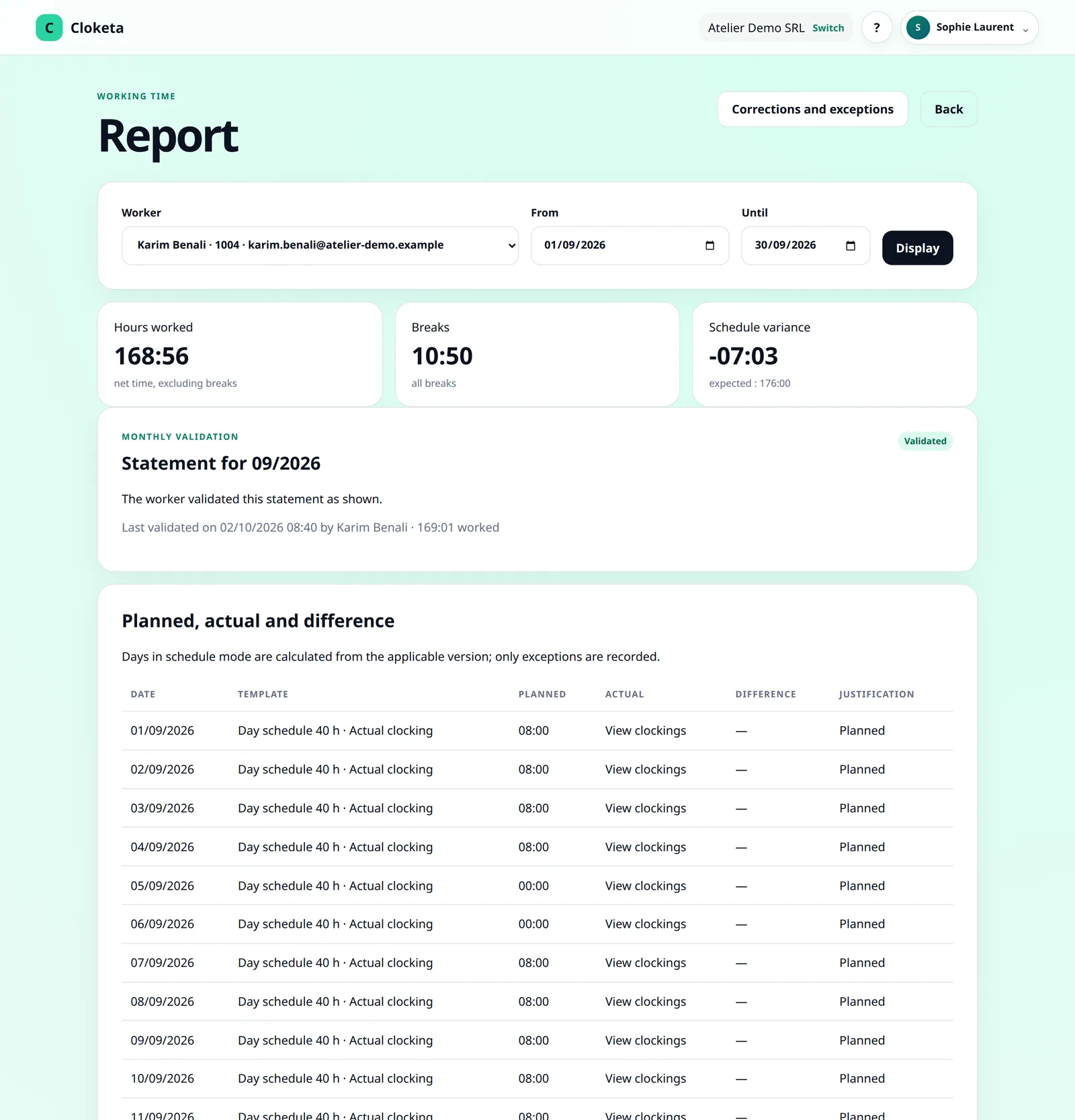
Filter, check, export.
Choose the period and the workers
A week, a month, one person or the whole team.
Check
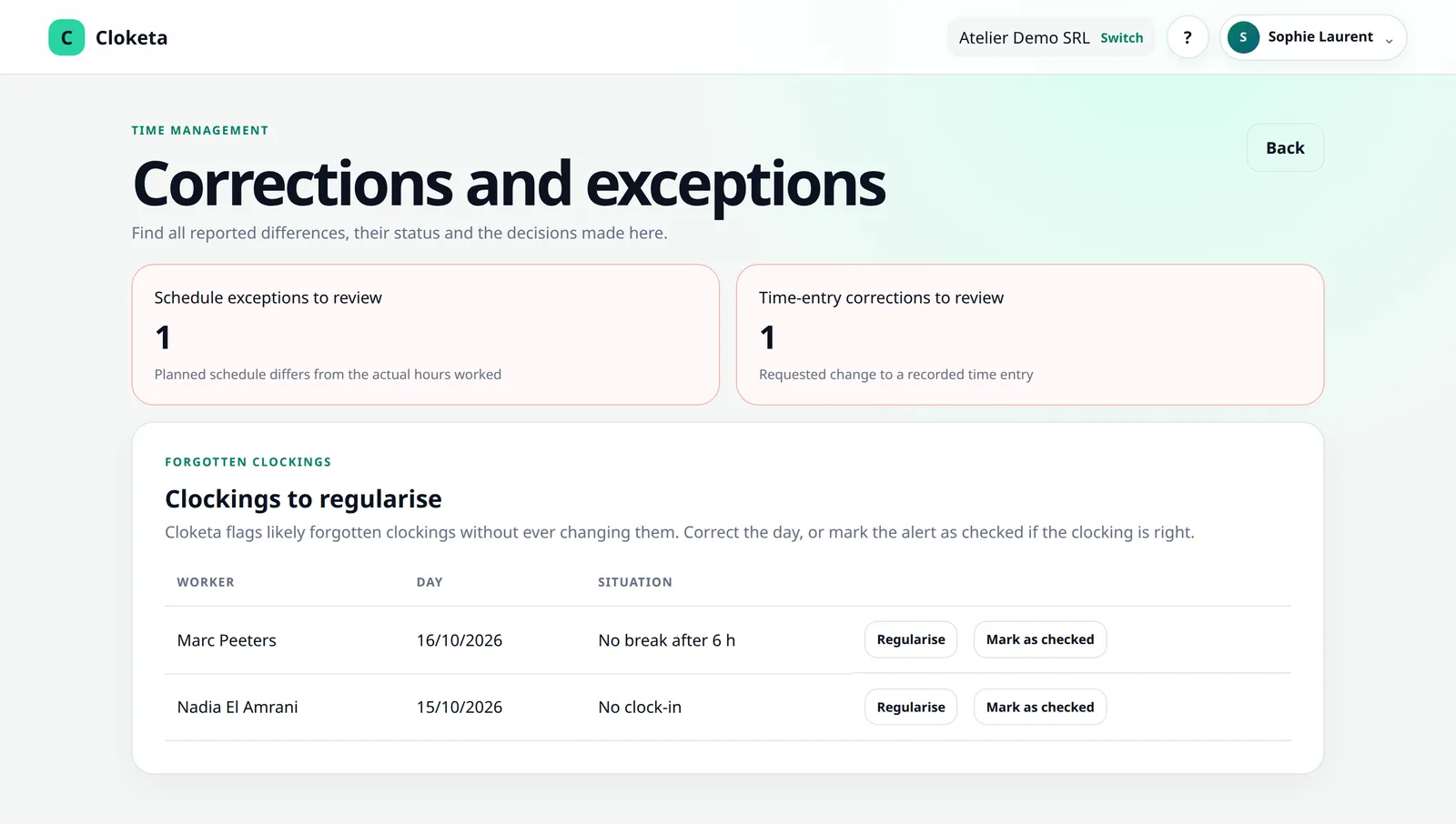
Totals per day and per week, details of clockings (with the chosen location) and breaks, flagged corrections, validation status of the monthly statement. A day left open is marked incomplete, keeps its hours as recorded and stays under « Clockings to regularise » until it is corrected.
Export for payroll
Download the payroll export, a CSV file ready to send to your social secretariat or import into your payroll software. Reports can also be downloaded as CSV or PDF (« PDF record »).
Generate the inspection file
A complete set of the period's data, with a manifest and an integrity check. Each closed month is also archived automatically in a signed inspection file.
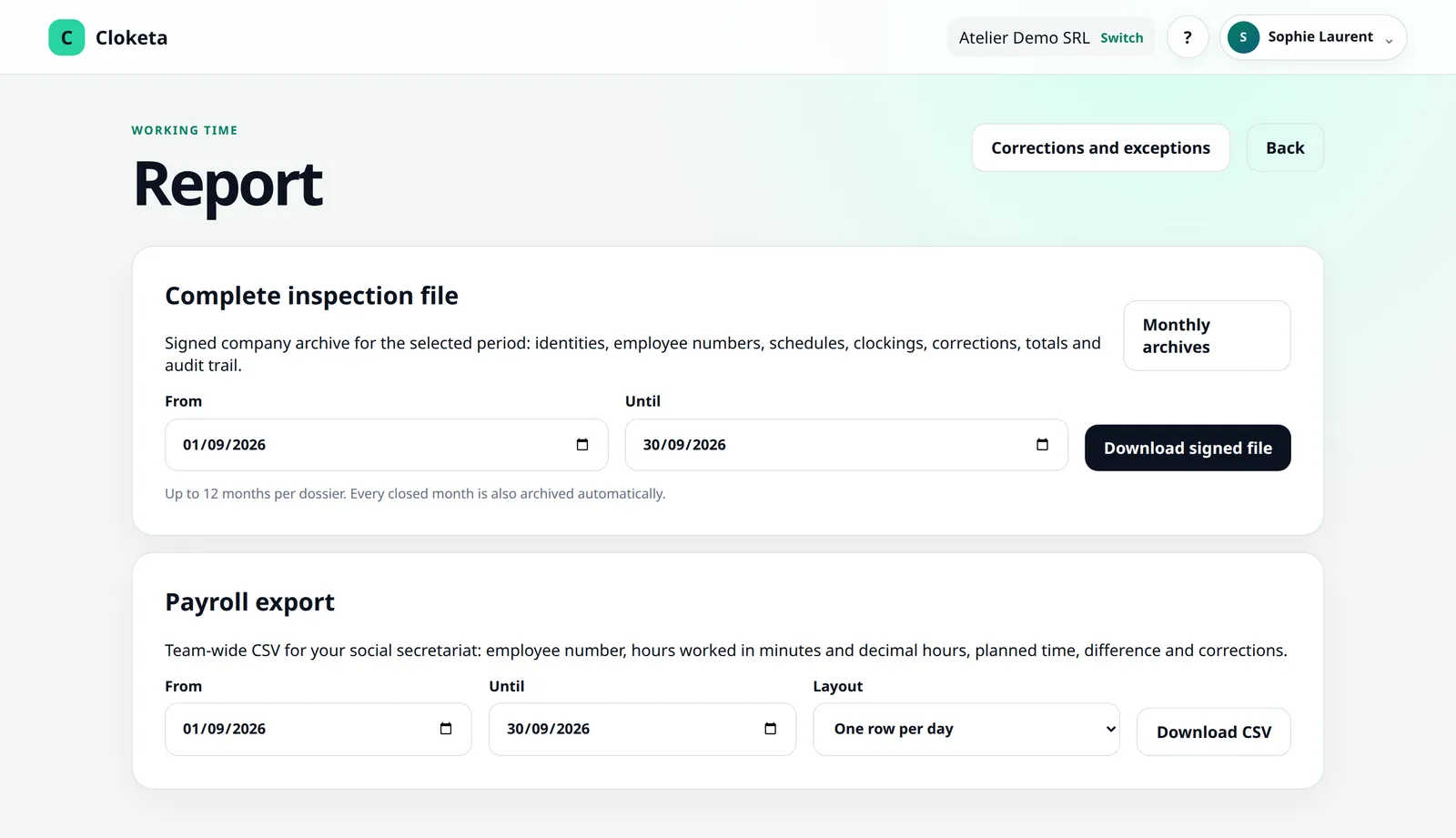
A file your social secretariat can read.
The payroll export is a CSV file that opens directly in Excel, accents included. You choose between two layouts:
Per day: one line per worker per day, with the hours worked, the breaks, the hours planned in the schedule, the difference between the two, and the days still open or corrected.
Totals: one line per worker for the period, with the number of days worked, the hour and break totals, the difference from the schedule, the corrected days and, for a full month, the validation status of the statement.
- Durations in minutes and in decimal hours (7.50 for 7 h 30 min).
- Actual hours, without rounding.
- Part-time work and late entries flagged.
- Every download is logged.
A complete, verifiable file.
The inspection file brings together the clockings, schedules, breaks and corrections with their original values, reasons and decisions, as well as the workers' validations. The manifest describes its contents, and the integrity check makes it possible to verify that the files have not been changed after the export.
Monthly archives: at each closing, Cloketa automatically generates the month's signed file (ZIP with JSON and CSV data, PDF summary and signed manifest). It is kept for the duration of the contract, for up to 5 years. Month validation and closing
Cloketa does not guarantee that a report or export will be accepted by an inspection or a court. It gives you structured, traceable data; the assessment remains that of the authority.
The start of the month at a garage.
Illustrative example.
On the 3rd, Pierre opens the October report for his five workers. Four have validated their statement, one has entered a reservation about a Saturday. Pierre corrects the day, closes the month, then downloads the payroll export for his social secretariat. Three months later, a question comes up about a delivery Saturday: within seconds he finds the day, the correction and the person who decided on it.
Download and keep them yourself.
Cloketa is not a legal archiving system. Monthly archives remain available for the duration of the contract (up to 5 years) and are deleted when it ends. Download them and keep your exports for the legal period that applies to your company. Details on retention could be included in the final text announced for 2027.
Who has access to what.
Access
- Owner, administrators and HR: all reports as CSV and PDF, the payroll export, the inspection file, period archives and the company's full export (JSON + CSV).
- Managers: the reports of the workers in their teams and sub-teams, viewable and downloadable as CSV and PDF, without the payroll export, inspection file, archives or full export.
- Workers: their own hours, as a report, CSV or PDF.
Limits
No payroll calculation, premium pay or social declarations. No totals per location or per site: the location appears in the clocking details and in the exports. Exports are technical aids: check them before using them.
Full export
At any time, the owner or an administrator can download all of the company's data (JSON + CSV). This is also the right answer if you need to « roll back »: Cloketa's backups are there for service continuity and cannot be used to restore an earlier state for a single company.
Switching provider
Your data can be exported in a structured format, free of charge (Subscription → « Cancel or switch provider » → « Download the full export »). After cancellation, the workspace can still be viewed and exported for 30 days. Detailed procedure
Frequently asked questions about reports and exports
Which reports and exports are available?
Reports per worker and per period, CSV and PDF exports, a payroll export, an inspection file with a manifest and integrity check, and monthly archives generated at each month closing.
Read the full answer : Which reports and exports are available?
Do you make backups? Can I ask for a restore?
Yes. An encrypted copy of the entire database is made every day, stored separately from production and kept for 35 days. It serves service continuity: it is not possible to restore a single customer's data on request.
Read the full answer : Do you make backups? Can I ask for a restore?
Will a Cloketa report be accepted by the inspectorate?
We cannot guarantee it: that is for the inspectorate to judge. Cloketa lets you present a complete and verifiable history.
Read the full answer : Will a Cloketa report be accepted by the inspectorate?
How long do I need to keep the data? Does Cloketa archive it for me?
It is up to you to keep, for the applicable legal period, any data you may need. Cloketa is not a legal archiving system: export regularly.
Read the full answer : How long do I need to keep the data? Does Cloketa archive it for me?
What does the monthly archive contain?
It is a signed inspection file for the month, in ZIP format, generated automatically at each month closing. It is kept in Cloketa for the duration of the contract, up to a maximum of 5 years: download it.
Read the full answer : What does the monthly archive contain?
How do I switch provider? Are there any charges?
No switching or data extraction charges. You can export your data at any time, in a structured, machine-readable format.
Read the full answer : How do I switch provider? Are there any charges?
Free trial
Your next month end, with nothing to reconstruct.
Run Cloketa for two weeks during the trial, then open your first report. You will see the difference from timesheets.