
Breaks and split shifts
Real working days do not fit on a single line.
One shift at lunchtime, another in the evening. A lunch break, another in the evening. Closing at 01:00. Cloketa keeps each time slot and each break exactly as they happened, instead of reducing everything to a single total.
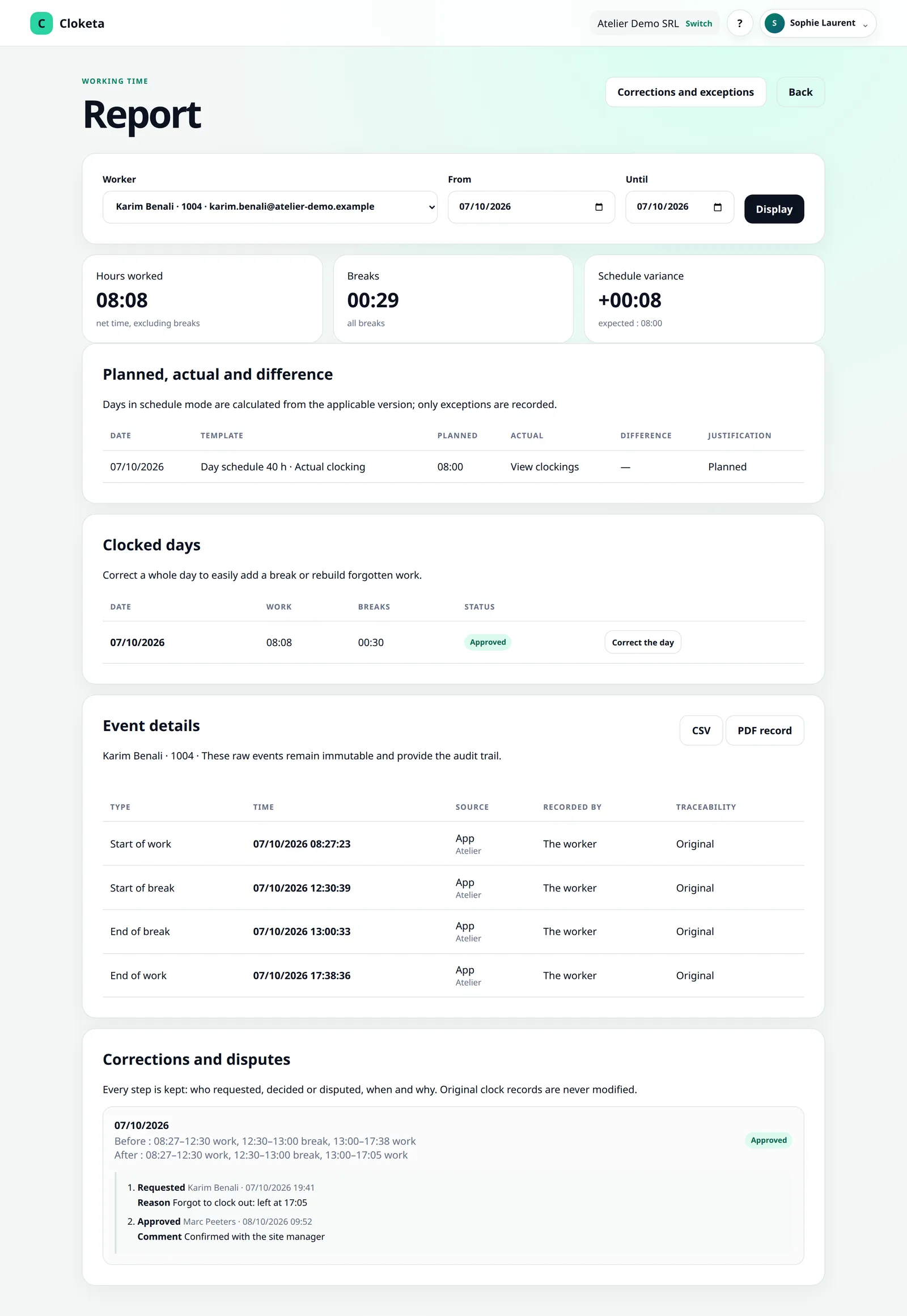
Every interruption has its place.
Clock in naturally
The worker uses « Start », « Take a break », « Resume » and « Finish ». There can be several breaks and several time slots in the same day: « Finish » followed by a new « Start » creates a second time slot.
Clocked breaks are deducted
A clocked break is always deducted from working time. A gap between two time slots (between the lunch and evening shifts, for example) is not counted either.
Paid breaks go through the fixed schedule
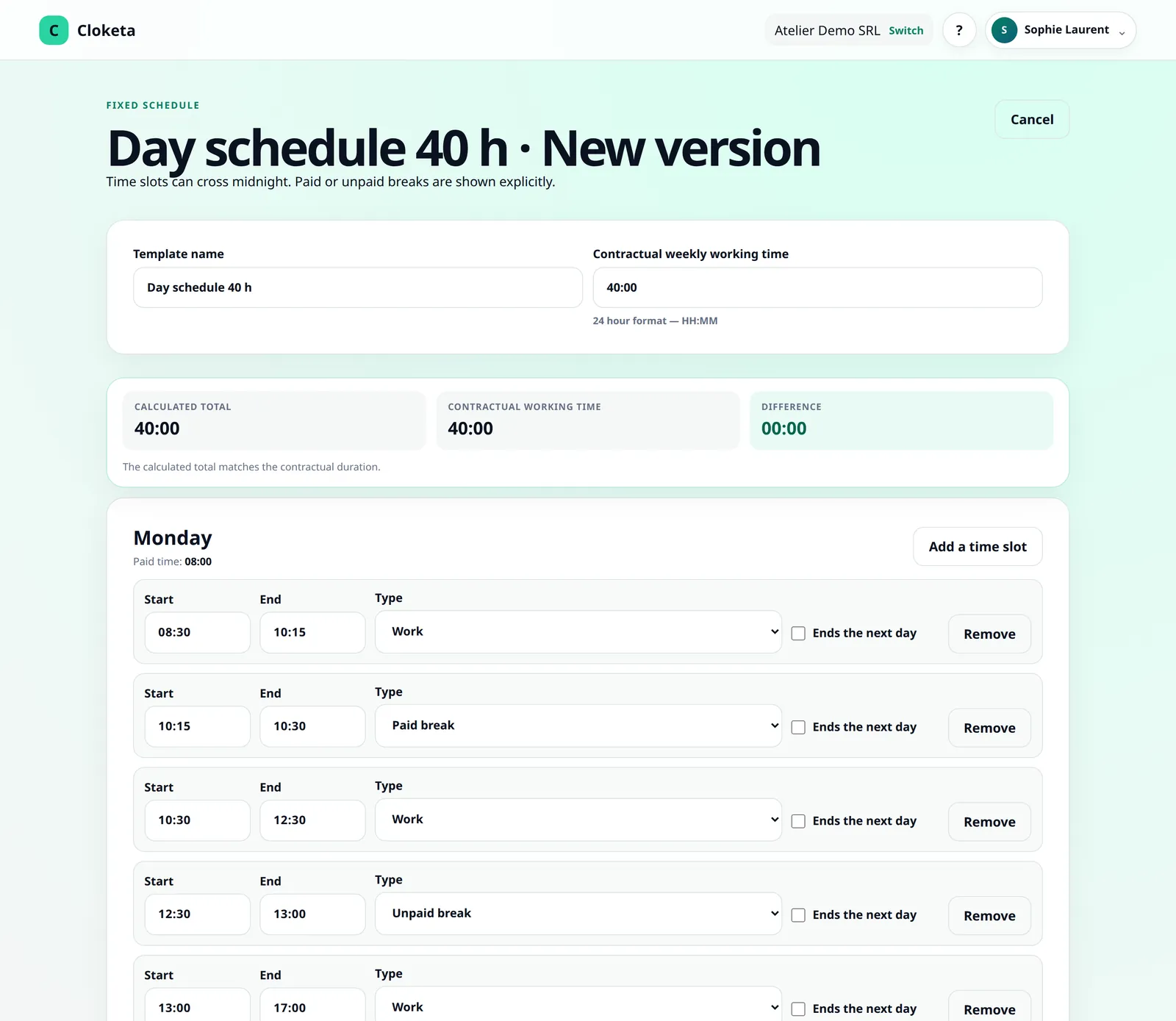
For a worker on a fixed schedule, you define the paid and unpaid breaks in their schedule.
Check
In the reports, you see the details of the clockings and breaks, not just a total.
Lucie's Saturday, waiting tables.
Illustrative example.
- 11:00
Start of the lunch shift.
- 15:00
End of the first shift.
- 18:00
Start of the evening shift.
- 20:15
Start of break, for a 20-minute meal.
- 20:35
End of break.
- 00:40
End of the shift, after midnight.
The day has two time slots, and the break is deducted. The work is recorded as it happened, with nothing to re-enter. Hours after midnight are counted on the day they are worked: 18:00–24:00 on Saturday, 00:00–00:40 on Sunday. The weekly total stays accurate.
One night shift, two days in the reports.
With actual clocking, hours are split at midnight in the reports, the payroll export and the inspection file. Two cases stay as a single time slot, attached to the start day: fixed night schedules (the end is marked « next day ») and a day corrected by hand.
What you set up.
Settings
- Fixed schedules with several time slots (for example 09:00–13:00 then 17:00–21:00), paid or unpaid breaks, an end time « the next day » for a night schedule.
- Rounding rule, if your company applies one. It only applies to the total for a period: clockings and day details are never rounded. The report shows the rounded value next to the actual value, with a warning; the CSV and PDF give both. The payroll export, the monthly statement and the day counters stay in actual hours.
- Company time zone, so that the hours displayed and exported are always correct.
Good to know
- With clocking, a break is always unpaid. A day correction cannot create a paid break: paid breaks only exist in fixed schedules.
- Cloketa performs an arithmetic calculation of durations. It does not determine whether a break must be paid or how a period of time should be classified legally: these rules depend on your joint committee, your work regulations and your contracts.
- Premium pay (night, Sunday, overtime) is a payroll matter and is not calculated by Cloketa.
Frequently asked questions about breaks and split shifts
How are breaks, split shifts and night work handled?
A day can include several time slots and several breaks. Breaks are unpaid with clocking, and paid or unpaid in fixed schedules. After midnight, hours are counted on the day they are worked.
Read the full answer : How are breaks, split shifts and night work handled?
Does Cloketa calculate overtime and payroll?
Cloketa calculates the time worked and highlights differences from the scheduled hours. It is not payroll software: pay and the classification of hours remain a matter for your social secretariat.
Read the full answer : Does Cloketa calculate overtime and payroll?
Free trial
Try it with your most complicated days.
Create a split schedule, have someone clock an evening shift and look at the result in the reports.