
Offices and services
A clear framework for working time. Not a time clock for grown-ups.
Fixed hours, working from home on Wednesday, training at a client's on Thursday: in an office, most days look alike. With Cloketa, fixed schedules record themselves, and only deviations need any action.
What small offices dread
Adding a pointless constraint
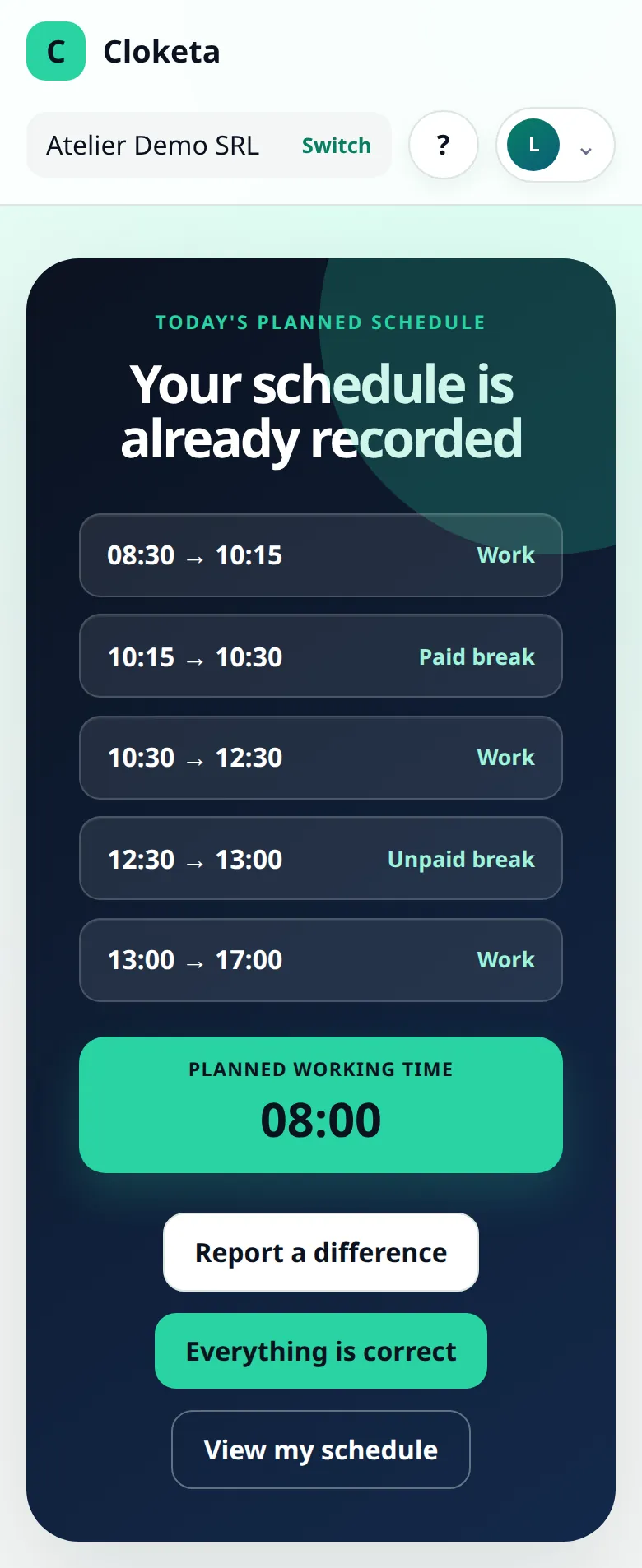
Making people who have worked 08:30 to 17:00 for five years clock in and out four times a day? Nobody wants that.
A spreadsheet that drifts
The shared overtime file is filled in by some, forgotten by others, and nobody knows which version is the right one.
The grey area of remote work and travel
A day at a client's, a training session that finishes late, a day working from home: nothing is recorded the same way.
A week at Thomas's agency
Illustrative example.
- Monday 08:30
Léa, a graphic designer, is on a fixed schedule (08:30 – 17:00, 30-minute break): her day follows her schedule, and she has nothing to clock.
- Tuesday 08:30
Hugo, a developer with variable hours, taps “Start” on his computer when he arrives.
- Tuesday 12:45
Hugo taps “Take a break”, then “Resume” at 13:20: 35 minutes deducted from his working time.
- Wednesday
Léa works from home. Her schedule is unchanged: nothing to report.
- Thursday 19:30
Léa stayed on at a client's until 19:00. She taps “Report a difference” on her dashboard: finish at 19:00, reason “client workshop ran over”.
- Friday 09:00
On the Corrections screen, Thomas has just one request for the week. He accepts it in two clicks.
Automatic schedule, management by exception
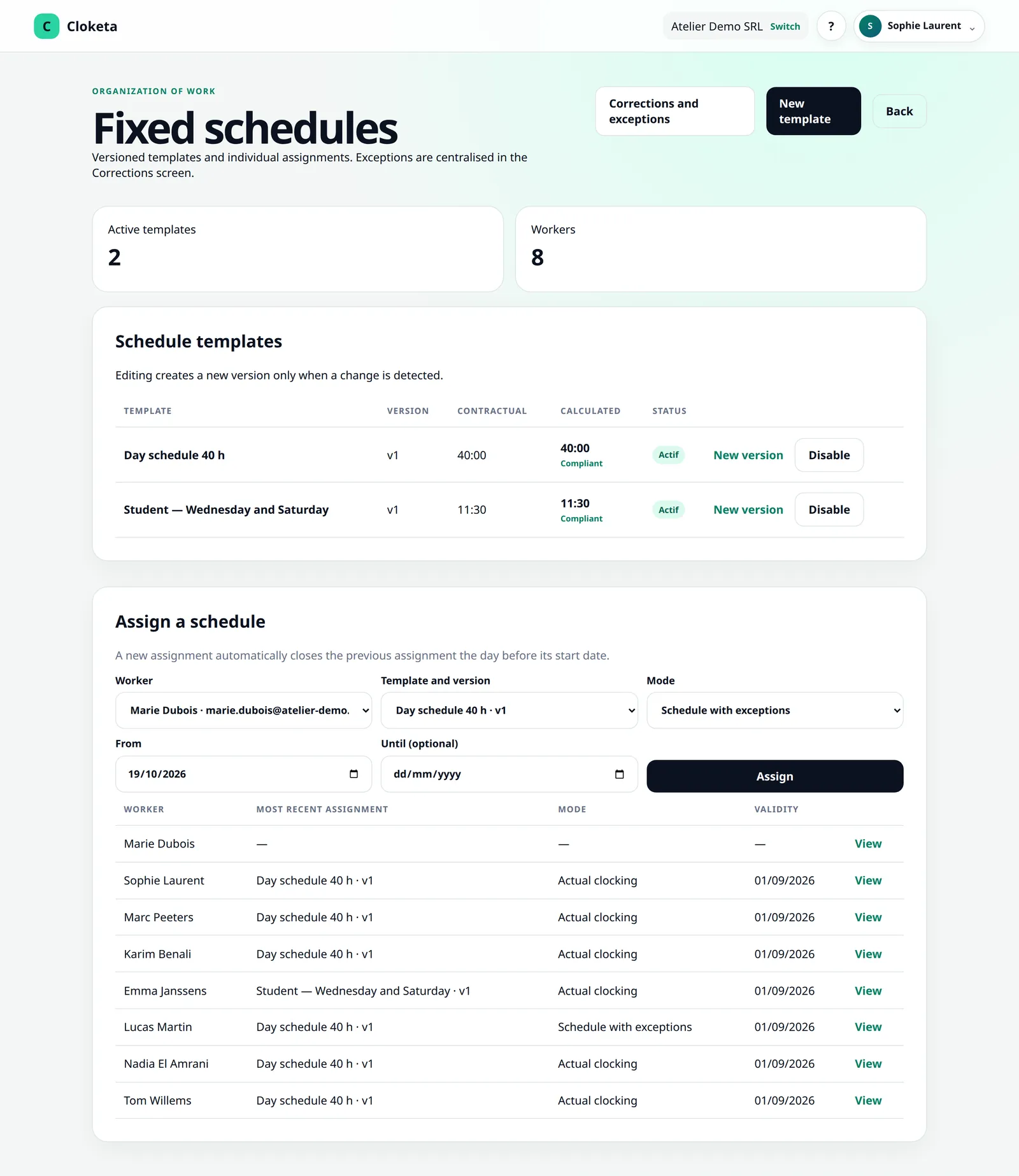
For people on a fixed schedule, the schedule is the reference: they have nothing to clock. They only report deviations (leaving early, a longer day, an absence) with “Report a difference”: this is a schedule exception, which you approve. An absence is reported the same way, with a neutral reason. If you switch on the Leave module (included in the Enterprise offer, optional in the other plans at €0.50 excl. VAT per active worker per month), leave is requested under “My leave” and, once approved, removes the day's planned hours.
Public holidays and closure days are added manually on the Company page. The mode is chosen for each worker when you assign them a schedule, and can change from a given date.
Simple clocking for variable hours
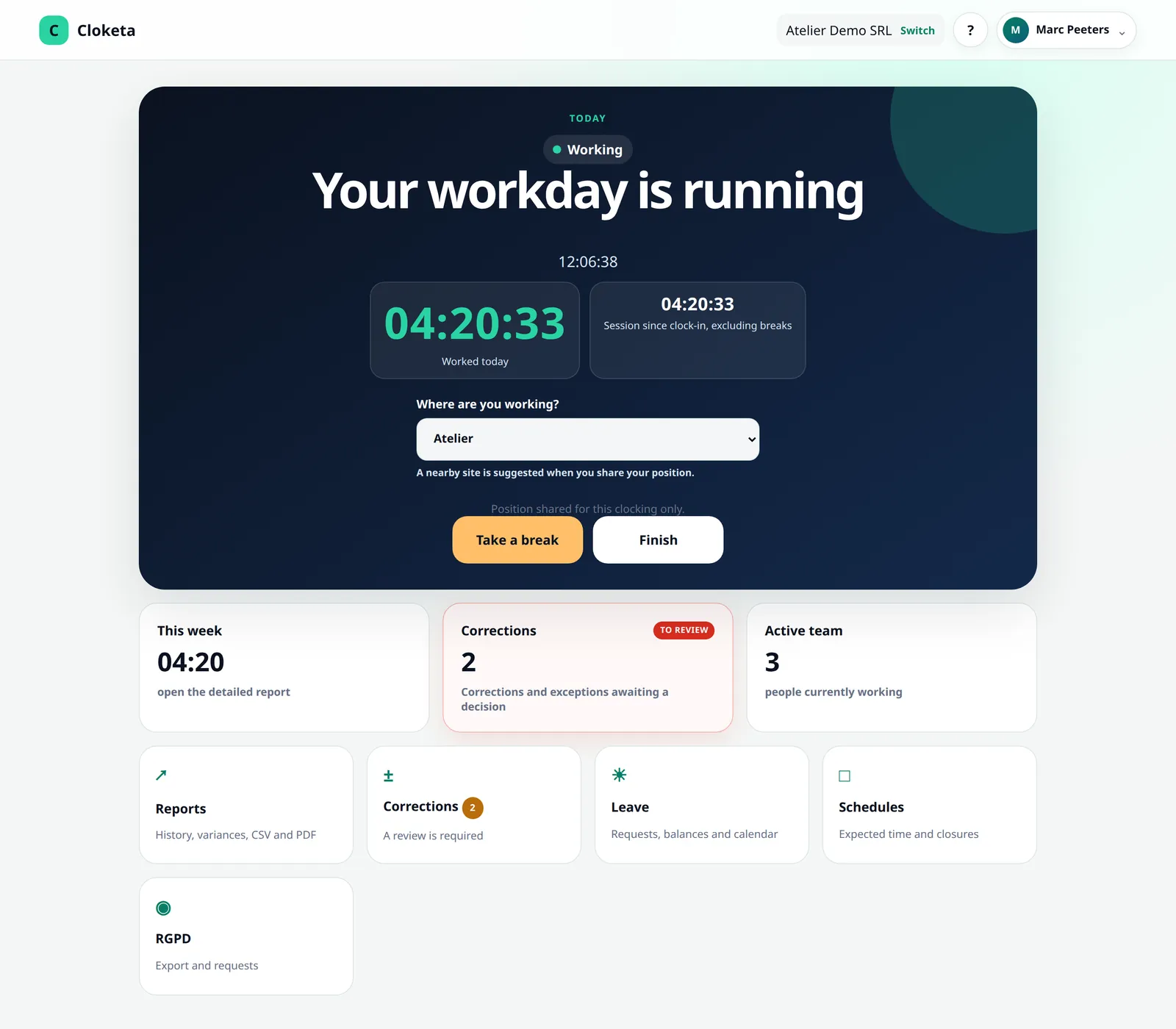
Those whose days vary clock in with one click from their computer or phone: “Start”, “Take a break”, “Resume”, “Finish”. No app to install.
A queue of requests, not emails
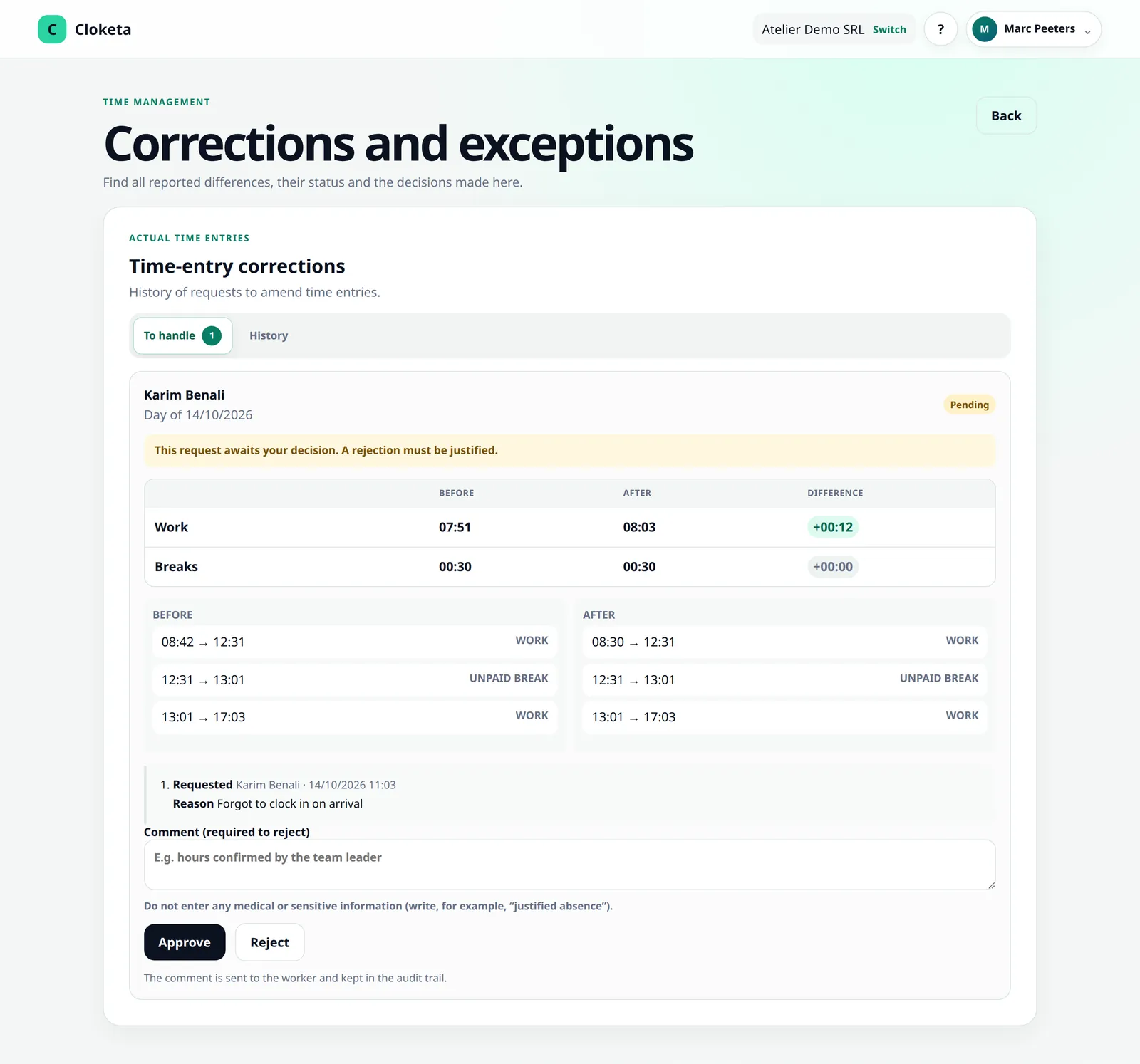
Schedule exceptions and corrections arrive on a single screen. You compare before and after, you accept or reject (with a reason if you reject), and the history keeps the original, the reason and the decision. At the end of the month, everyone can validate their monthly statement (“Validate the statement” or “Validate with reservation”), then you close the month.
Remote work, positions of trust and fixed schedules: what the preliminary draft says
The general recording obligation announced for 2027 would cover all employers, but the preliminary draft bill mentions possible exclusions: management functions and positions of trust, sales representatives, remote workers and home workers. Their exact scope has not yet been set.
For workers on a fixed schedule, the preliminary draft would allow only deviations from the schedule to be recorded, provided the time actually worked can be deduced from them. This is the principle behind Cloketa's automatic schedule.
The text has not yet been adopted: have your social secretariat confirm which workers in your office would be concerned.
Cloketa records working time, not time per project. Allocating hours to clients or projects, and invoicing, are not offered at present.
An office of 3 people? €79 excl. VAT per year.
Up to 3 active workers, the Micro plan: €79 excl. VAT per year or €7.90 excl. VAT per month. An agency of 12 people moves up to Team: €299 excl. VAT per year. The manager does not count unless they clock in themselves.
Frequently asked questions in the sector
Do my workers on a fixed schedule have to clock in every day?
No. On a fixed schedule, their day follows their schedule, with no clocking at all. They only report deviations, which you approve.
Is remote work handled?
Yes. A worker on a fixed schedule has nothing to do, and a worker who clocks in does so from their computer, wherever they are. Remote work could also be excluded from the obligation according to the preliminary draft: check with your social secretariat.
Can I track time spent per project or per client?
No. Cloketa records working time for legal and organisational purposes. Breakdown by project and invoicing are not offered.
Is this a form of surveillance?
No. Cloketa records neither screen activity, nor browsing, nor continuous location. It records start times, breaks and finish times, and their corrections.
Does a self-employed consultant need to appear in Cloketa?
No, recording concerns your employed workers. You can add them if your organisation requires it, but they will count as an active worker.
Can I switch a worker from the automatic schedule to clocking?
Yes. The change applies from a date you choose, for example when their role or contract changes.
Free trial
Put your office on an automatic schedule in 15 minutes
Enter the usual schedules, invite the team and let Cloketa run for 14 days. You will only see the exceptions.
Important information Cloketa is a working time recording tool. It does not provide legal or HR advice and does not replace any official declaration or application. Each employer remains responsible for their own obligations: if in doubt, consult your social secretariat or an adviser.