
Features
Everything you need to record working time, nothing more.
Cloketa adapts to each worker: those on a fixed schedule have nothing to do, and those whose days vary clock in with two taps. You only deal with the exceptions.
One mode per worker
Choose the simplest method, person by person.
Within the same team, the technician going from one job to the next and the receptionist working 08:30 to 17:00 do not have the same needs. Cloketa does not force a single rule on everyone.
Actual clocking
The worker records the start, breaks and end of their day from their phone, a computer or a shared device. Ideal when hours change from one day to the next.
Automatic schedule
The usual schedule is what counts: the worker has nothing to clock. They only report what changes (arriving late, an extra hour, an absence) through a schedule exception, with « Report a difference ».
Mixed mode
Part of the team clocks in, the rest follows their schedule. The mode is chosen when you assign a schedule, and can change from a given date if the job changes.
Ten building blocks, one single application.
Simple clocking
Start, pause, resume, finish. On a phone, a computer or a clocking station (personal QR or employee number, then PIN code), with the chosen workplace. Shared clocking stations are included in the Enterprise offer and available as an option in the other plans, at €4.90 excl. VAT per active station per month.
Automatic schedules
The schedule is what counts, nothing to clock; you only manage the exceptions.
Flexible schedules
Core hours, opening window and expected duration; an hours counter carried over from one period to the next, and HR decisions on the excess.
Breaks and split shifts
Several time slots per day, unpaid breaks when clocking, paid or unpaid in fixed schedules, shifts that run past midnight.
Traceable corrections
One request, one reason, one decision. The original time stays visible.
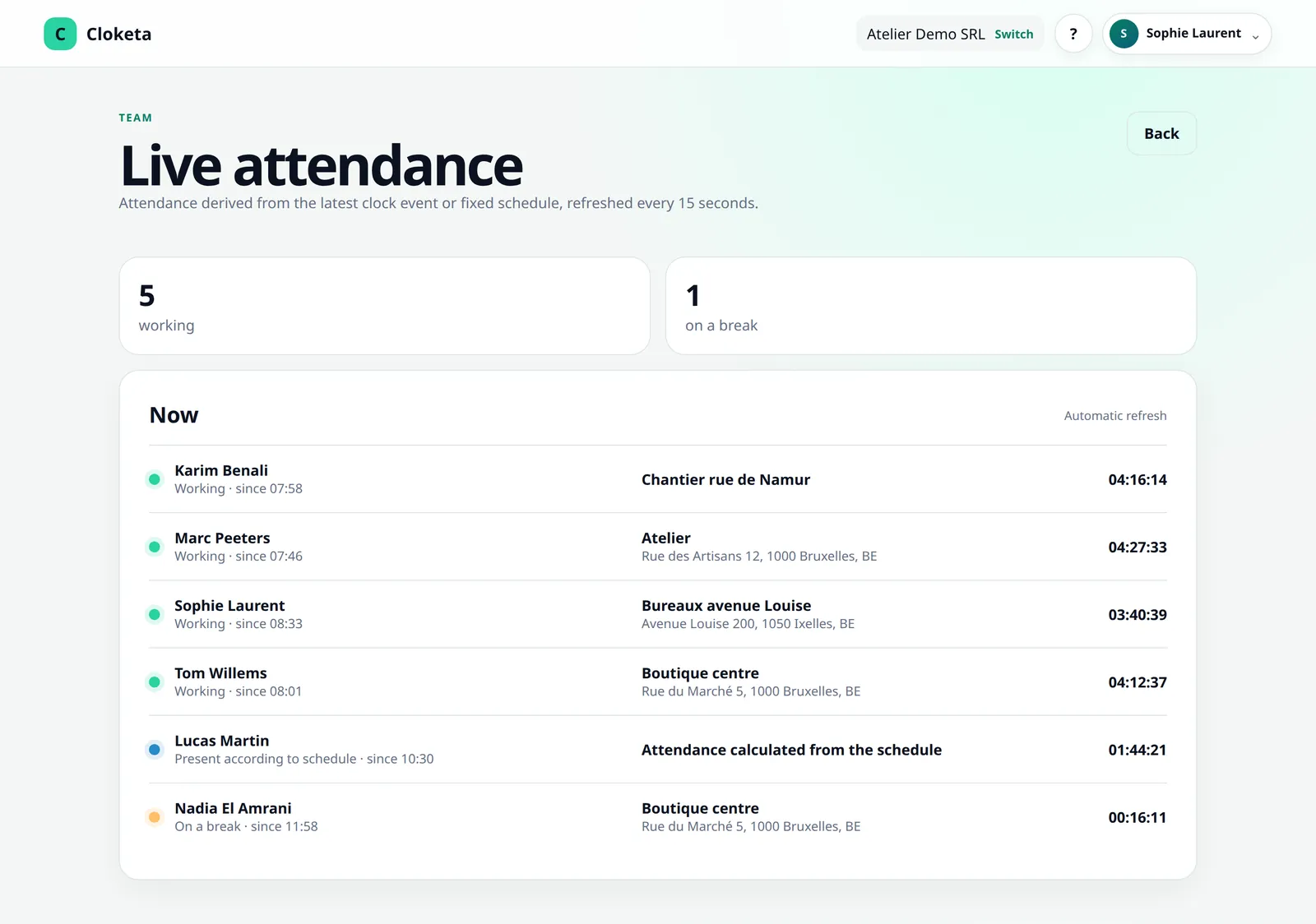
Live attendance
Who is working, who is on a break, and where everyone clocked in.
Month validation and closing
Each worker validates their statement, with a reservation if needed. The month is then closed and archived.
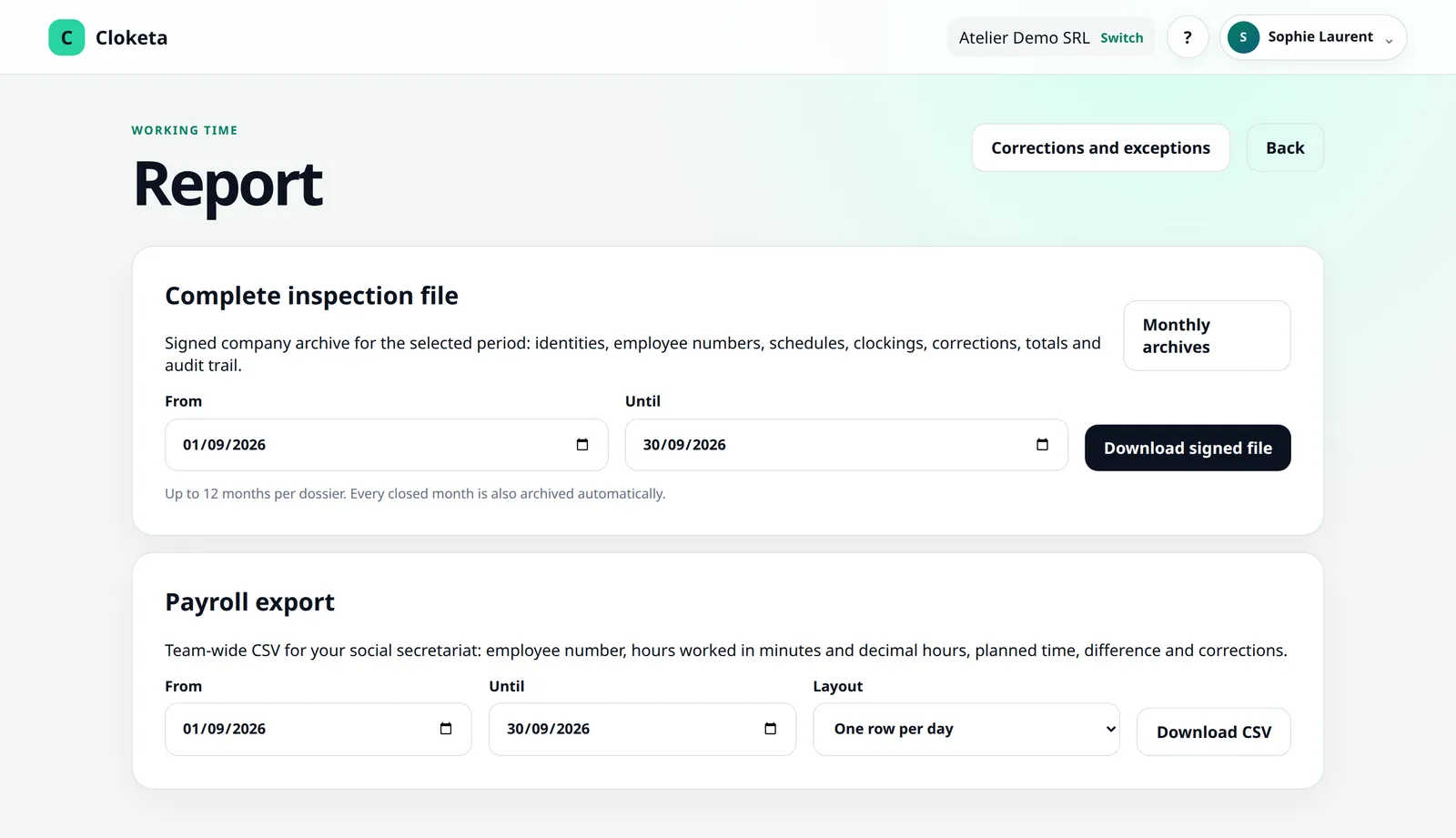
Reports and exports
CSV, PDF, payroll export, inspection file with integrity check and a full export of your data.
Roles and organisation
Owner, administrator, HR, manager, worker: each with their own rights, and nobody decides for themselves.
Security and data
MFA, passkeys, hosting in the European Economic Area, audit trail.
Roles
Everyone sees what concerns them.
Owner
Creates the company and accepts the contract. Can do everything, subscription and billing included, and their role can only be changed by themselves.
Administrator
The same rights as the owner, subscription included, except for anything to do with ownership. Cloketa support's contact person, together with the owner.
HR
Manages staff, teams and their managers; sees the whole company, decides on corrections, schedules and month closings, and has access to the exports (payroll, inspection file, full export). No subscription or settings.
Manager
Supervises the clockings of their teams and sub-teams: live attendance, reports (downloadable as CSV and PDF), corrections, disputes and schedule exceptions. Never for themselves. No month closing, payroll export, inspection file or full export.
Worker
Only sees themselves: clocks in, views and downloads their hours, requests corrections and validates their monthly statement.
The organisation chart. Teams and sub-teams, each with one or more managers, an HR role to manage staff, and requests that go straight to the managers of the team concerned. Teams and their managers are included in the Enterprise offer and available as an option in the other plans, at €0.50 excl. VAT per active worker per month.
A worker without an email address can only clock in on a clocking station, with their personal QR or employee number, then their PIN code. The same person can work for several companies that use Cloketa: one single account, with separate roles and employee numbers in each company. Roles and organisation
Connect Cloketa to your tools.
The owner and administrators can create API keys and webhooks to send time data to other software, for example your payroll tool. For most businesses, the payroll export is enough.
What Cloketa does not do (on purpose).
A simple tool is also a tool that stays in its lane. Better to know before you start.
- No payroll or salary calculation: the payroll export goes to your social secretariat or your payroll software.
- No Dimona, no Checkinatwork: these official declarations are still made where they are made.
- No legal or social advice: Cloketa gives you the tool, your social secretariat remains your adviser.
- No hours per project or per client: Cloketa records working time, not billing.
- No offline clocking: each clocking is validated by the server at the moment it is made, which requires an internet connection.
- No sickness tracking: health status is medical data. Leave, on the other hand, is managed with the « Leave » module, included in the Enterprise offer and available as an option in the other plans (€0.50 excl. VAT per active worker per month), and public holidays are added as closing days. Cloketa does not calculate statutory leave entitlements.
- No automatic corrections: Cloketa flags forgotten clockings, but never changes a day for you.
- No totals per location or per site: the chosen location appears in the clocking details and in the exports.
- No app to download from a store: Cloketa opens in the browser and can be added to the home screen in one tap.
A general requirement to record working time is currently announced for 2027. Cloketa is designed for objective, reliable and accessible recording, and will be adapted to the final text once it is adopted.
Frequently asked questions about the features
Do I need to install anything to get started?
No. Cloketa works in a browser, on a computer or a phone. It can also be added to the home screen like an app (PWA), without going through an app store.
Read the full answer : Do I need to install anything to get started?
Actual clocking or automatic schedule: how do I choose?
An automatic schedule for people with fixed, predictable hours, actual clocking for those whose days vary. The choice is made worker by worker, when assigning a schedule, and can change from a given date.
Read the full answer : Actual clocking or automatic schedule: how do I choose?
Do my workers have to use their personal smartphone?
It is not mandatory. You cannot require it without an appropriate legal or contractual basis: if needed, provide a clocking station or a work device.
Read the full answer : Do my workers have to use their personal smartphone?
Can you clock in without an internet connection?
No. Every clocking is validated immediately by the server, so a connection is required.
Read the full answer : Can you clock in without an internet connection?
Which features are included in every plan?
Micro, Small and Team give access to the same features: only the number of active workers changes. Shared clocking stations, teams and leave management are included in the Enterprise offer and available as an option in the other plans, switched on from the app: €4.90 excl. VAT per active station per month for stations, €0.50 excl. VAT per active worker per month for teams and for leave.
Read the full answer : Which features are included in every plan?
Free trial
Try it with your own team.
Create your company, invite two or three workers and choose how each of them is tracked. Within a week, you will know whether Cloketa saves you time.