
Security and data
Your team's hours are personal data. We treat them as such.
Who works when, where and how much: this is sensitive information for your workers and for you. Here is, in practical terms, how Cloketa protects it, and what remains your responsibility.
Controlled access.
Strong authentication
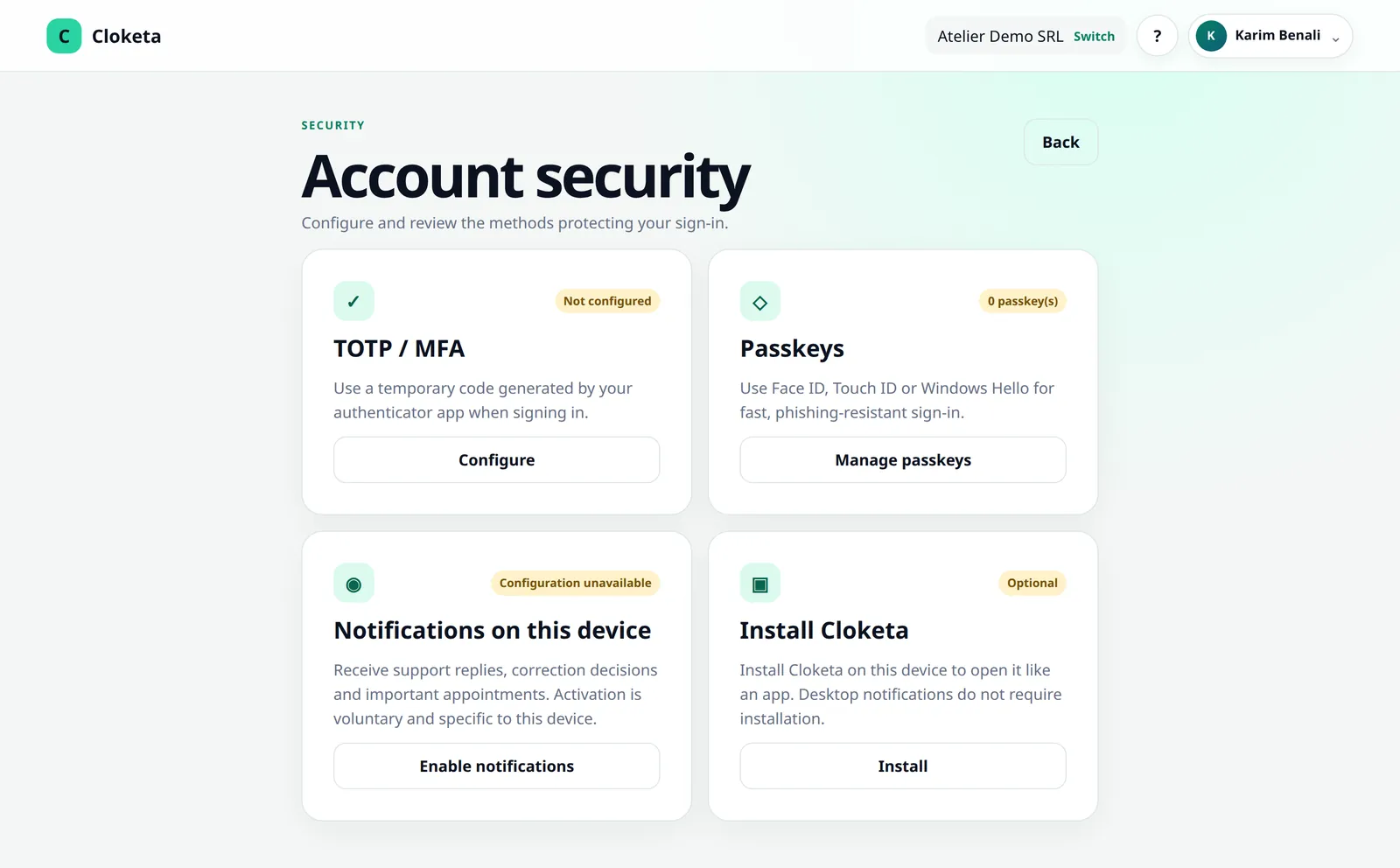
Two-factor authentication via an app (TOTP) and passkeys, to be enabled under « Account security ». It can be made mandatory for accounts with extended rights. If a member loses their device, the owner or an administrator resets their two-factor authentication; an owner's can only be reset by an owner.
Personal access
Each account, personal QR, employee number and PIN code is strictly personal. On a clocking station, the PIN code is always requested after the QR or employee number, and the session closes by itself after 60 seconds. A worker whose employment has ended is deactivated from the Team screen: their access is cut off, including their QR and PIN, and their clockings are kept.
Rights by role and by company
Separate roles (owner, administrator, HR, manager, worker). A worker only sees themselves. The owner's role is protected: it can be neither assigned nor removed in the application, and an administrator cannot make themselves owner. The payroll export, the inspection file and the full export are reserved for the owner, administrators and HR, and a manager only sees their teams and sub-teams. Roles and employee numbers belong to the relationship between a person and a company: a person active in two companies never sees one company's data from the other.
Nothing is erased without leaving a trace.
- Logical isolation of each company workspace.
- Logging of sensitive operations, including every download of the payroll export.
- Corrections: the original value, the reason, the author and the decision are kept.
- Inspection file with manifest and integrity check.
- Encrypted communications (TLS).
Hosted in Europe, backed up daily and encrypted.
The application, databases, files and backups are hosted in the European Economic Area, by OVHcloud. An encrypted copy of the database is made every day and kept for 35 days, separately from the production environment. In the event of an incident, data loss is limited to 15 minutes at most.
No connected system is invulnerable. Backups cover the whole platform and are there for service continuity: they cannot be used to restore an earlier state for a single company. To keep a copy of your data, use the full export (JSON + CSV), available at any time.
Availability: the service status, planned maintenance and incidents from the last 90 days are published on the status page.
Who we work with.
| Sub-processor | Role |
|---|---|
| OVHcloud (France) | Hosting of the application, data and backups — EEA. |
| Cloudflare | Protection against attacks, DNS and traffic transit. Data in transit may be processed outside the EEA, covered by the EU–US Data Privacy Framework and standard contractual clauses. |
| Brevo (France) | Transactional emails (invitations, notifications) — EEA. |
| Browser and operating system push notification services (Google, Apple, Mozilla) | Delivery of notifications with end-to-end encrypted content. |
| Stripe (Ireland) | Subscription payment (card, Apple Pay, Google Pay, Bancontact, SEPA Direct Debit or bank transfer). Cloketa neither sees nor stores any card data. |
Any addition or replacement of a sub-processor is announced to administrators at least 30 days in advance. Up-to-date list of sub-processors
You decide, we carry it out.
For your workers' data, your company is the controller and Be The Wave acts as processor. The data processing agreement (Article 28 of the GDPR) is part of the terms and conditions: there is nothing separate to sign.
- Be The Wave staff only access your data when necessary (support request, security, legal obligation), and every access is logged.
- If support needs to see Cloketa as a user sees it (« impersonation »), this is strictly controlled: a mandatory reason, re-authentication of the agent, logging and notification of the user concerned.
- In the event of a data breach, administrators are informed no later than 48 hours after we become aware of it.
- Your data belongs to you. We only derive anonymised, aggregated statistics from it, and we never sell it.
- Switching provider is possible at any time, free of charge: procedure and formats.
- For a data protection question: [email protected].
Geolocation
Off by default.
Cloketa does not track movements. If you enable geolocation, the position is recorded only at the moment of clocking. Before enabling it, you must have a valid reason, have documented it and inform your workers. Less intrusive alternatives exist: workplaces without coordinates, a clocking station linked to a site.
Lost access?
Start with the « Forgot your password? » link (valid for 1 hour) or your two-factor authentication recovery codes; another owner or administrator can also reset your two-factor authentication. If you have lost administrator access, email [email protected] from the account's email address. We will ask you for proof of identity and proof of your authority to represent the company. We do not keep the copy of the identity document, only a record that it was checked. Transferring ownership of a workspace follows the same procedure.
A publicly documented API.
The owner and administrators create API keys and webhooks to connect Cloketa to other software. The documentation is public, with its OpenAPI file. API keys give access to the company's data: treat them like passwords.
Good to know day to day.
- Notifications: by email (invitation, password, corrections and schedule exceptions, forgotten clockings, monthly statement, support, billing, changes to the terms and conditions, maintenance and security incidents) and by push notification if the application is installed (corrections and schedule exceptions, forgotten clockings, support, Cloketa Start, messages from the administrator). Everyone enables or disables push on each of their devices under « Account security ». Important emails are always sent.
- Languages: French, Dutch, English and German. The company has a default language, and each user can choose their own; emails and notifications follow the language of the person receiving them.
- Browsers: recent versions of Chrome, Edge, Firefox and Safari, on computers and smartphones. On iPhone and iPad, notifications require Cloketa to be added to the home screen.
Security is a shared responsibility.
- Enable two-factor authentication.
- Deactivate access straight away for people who leave the company (Team → profile → « End the employment and remove access »).
- Protect your clocking stations and your workers' codes.
- Inform your workers about how their data is processed.
- Have a fallback procedure in case the service is unavailable.
- Download your exports regularly.
Frequently asked questions about security and data
Where is the data hosted?
In the European Economic Area, with OVHcloud, for the application, databases, files and backups.
Is there a data processing agreement (DPA)? Does it have to be signed separately?
Yes, there is one, and it is included in our terms and conditions (Annex 1). You accept it at the same time as the contract: no separate signature is needed.
Can Cloketa staff see my data?
Only when necessary: to handle a support request, for security or to meet a legal obligation. Such access is logged.
What security measures protect accounts?
Passwords stored as hashes, two-factor authentication (TOTP), passkeys, permissions by role and by company, logging of sensitive operations and encrypted connections (TLS).
Read the full answer : What security measures protect accounts?
Our administrator has left the company or I have lost my access: how do I recover it?
If an owner or administrator is still in place, they can grant the rights to someone else or reset a two-factor authentication. Otherwise, email [email protected] from the account's email address: we will ask you for proof of identity and proof of your authority to represent the company.
What happens in the event of a data breach?
We notify you as soon as possible, no later than 48 hours after becoming aware of it, with the available information on the nature and consequences of the breach.
Read the full answer : What happens in the event of a data breach?
Does any data leave the European Union?
Production data and backups remain in the EEA. Only network traffic (Cloudflare) and the delivery of push notifications may pass outside the EEA, with safeguards provided for by the GDPR.
Read the full answer : Does any data leave the European Union?
A worker is asking me for their data: what should I do?
Cloketa gives you the features you need to respond: export of a worker's data, rectification through a tracked correction, deactivation and erasure. It is up to you to respond to the request.
Read the full answer : A worker is asking me for their data: what should I do?
Free trial
Security questions before you get started?
The terms and conditions and their annexes set out all the measures in detail. You can also try Cloketa for 14 days before deciding.