
Month validation and closing
A month checked by the people who worked it.
From the 1st of the following month, each worker reviews their statement and validates it. If they disagree, they enter a reservation. You correct where necessary, then close the month: Cloketa archives it in a signed inspection file. Discussions about hours happen now, not three months later.
Four stages, every month.
The statement appears
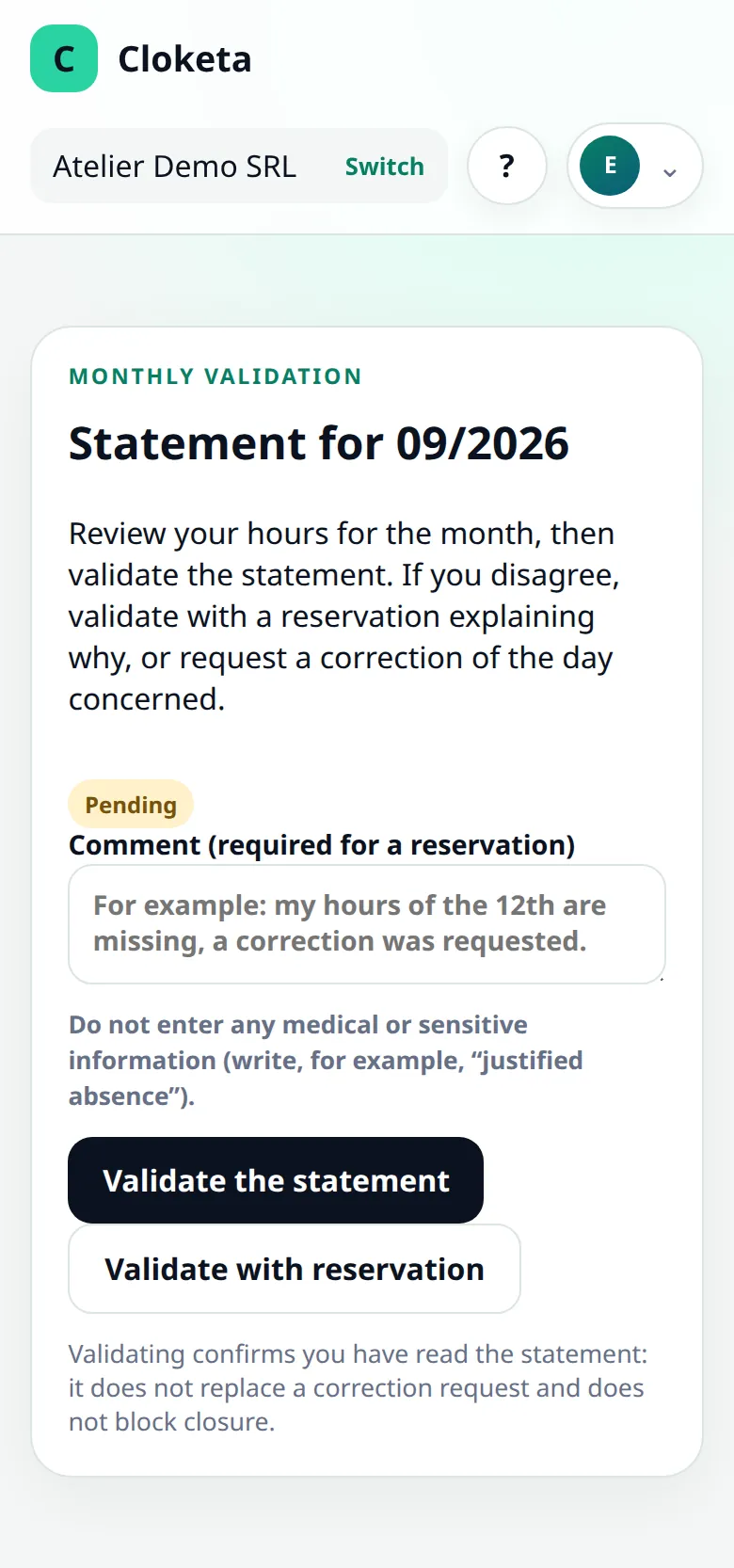
On the 1st of the following month, a banner appears on each worker's dashboard: « Your [month] statement is awaiting your validation », with the « Review and validate » button. It stays visible until the previous month's statement has been validated. The worker finds their days, breaks and corrections there, then clicks « Validate the statement », or « Validate with reservation » explaining what is wrong (a comment is then mandatory).
Reservations are handled
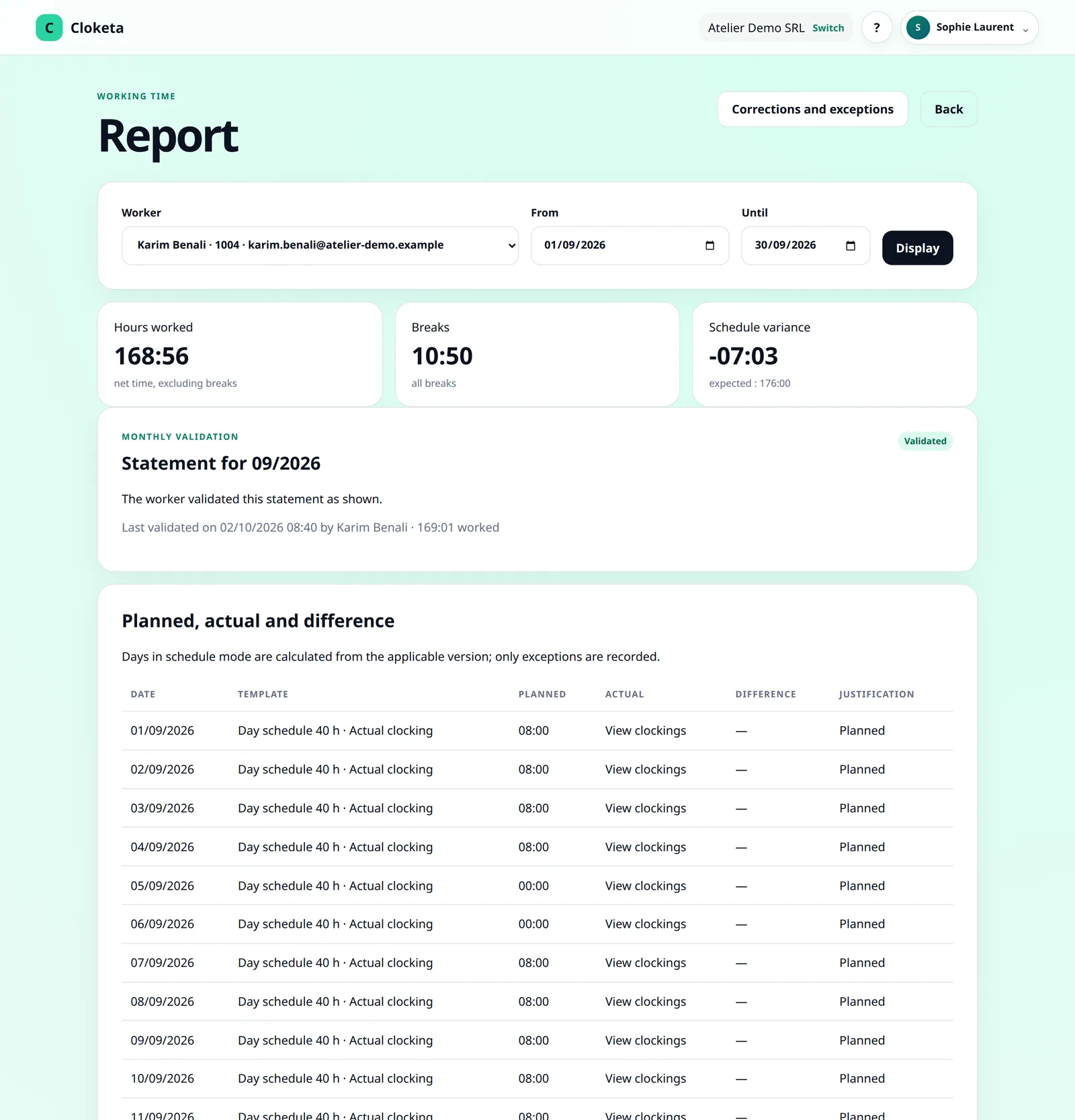
A reservation triggers an email to the managers of the worker's team. The manager reads the reservation and its comment in the worker's report and corrects the day if necessary, with a reason. The statement then changes to « To be validated again », and the worker is asked to validate it again. A manager never decides for themselves.
Disputes are settled
If your company has enabled the option, a worker can dispute a correction applied by the employer to their day, until the month is closed. A manager settles it, and the decision is traced. Corrections and disputes are notified by email and by push notification.
The month is closed
Closing automatically generates the monthly archive, a signed inspection file. The payroll export for your social secretariat is then downloaded separately, from the reports.
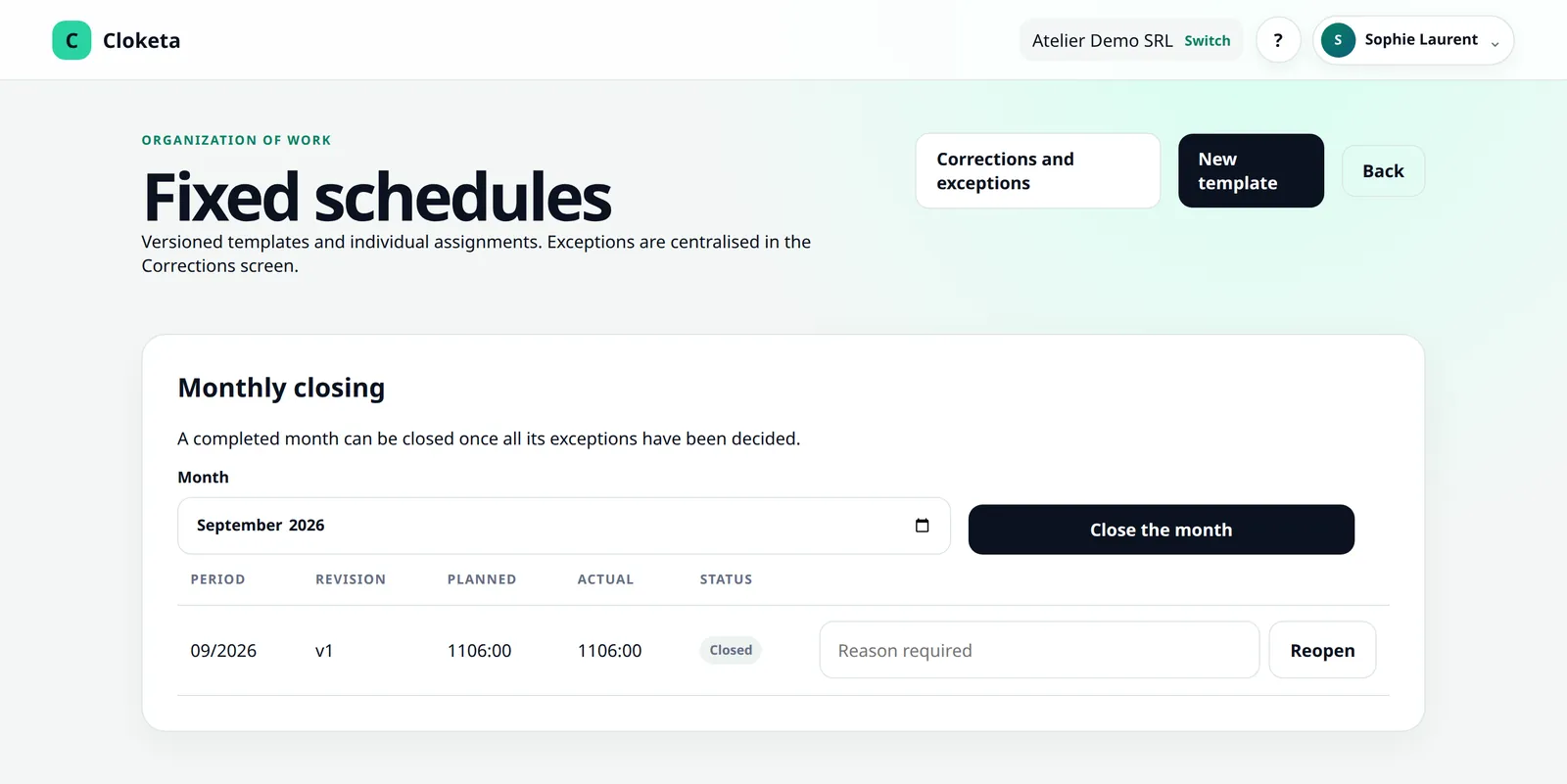
Closing and reopening a month is up to the owner, administrators and HR. Reservations go directly to the managers of the worker's team (or, if the team has none, to those of the parent team, then to the administration).
Early November at a 7-person shop.
Illustrative example.
- 1 November
The October statement appears on each worker's home screen.
- 2 November
Five workers validate without comment.
- 2 November
Léa validates with a reservation: « On Saturday the 18th, I finished at 19:00, not 18:00. » The managers of her team receive an email.
- 3 November
Hugo, the shop manager, checks the closing rota and corrects the day with a reason. Léa's statement changes to « To be validated again »; she validates it that same evening.
- 3 November
Samir disputes a correction applied to his break on the 12th. Hugo reviews it and upholds his decision, explaining why. Everything stays in the history.
- 4 November
No more pending requests or disputes: the manager closes October. The month's archive is generated, then she downloads the payroll export for her social secretariat.
Fewer disputes, more solid data.
- Errors are spotted by the person who knows them best: the worker themselves.
- A reservation is a written, dated request, not a passing remark that is quickly forgotten.
- After closing, the month is frozen, unless it is reopened with a reason that is traced: payroll and exports start from a stable base.
- Each closed month is archived in a signed inspection file, which you can download.
The principle announced for 2027 is objective, reliable and accessible recording. Giving each worker access to their hours, and the chance to validate or dispute them, goes in that direction. The exact arrangements will depend on the adopted text.
What you need to know.
Statuses and closing
- Each statement has a status: validated, validated with reservation, to be validated again or pending. You find it in the worker's report, in the payroll export (totals for a month) and in the inspection file.
- Validation is a confirmation of reading: it blocks neither closing nor exports. An unvalidated statement therefore does not prevent closing.
- What blocks closing: a pending correction request or an open dispute.
- The reminder banner only concerns the previous month. The statement triggers no email or notification.
Archive and reopening
- The monthly archive is a signed ZIP file. It contains the clockings, the corrections step by step, the daily totals and the validations (in JSON and CSV), a PDF summary and a signed manifest.
- It is kept for the duration of the contract, for up to 5 years, then deleted when the contract ends. Remember to download it.
- A closed month can be reopened by the owner, an administrator or HR, with a mandatory reason recorded in the audit trail. A new closing creates a revision: the previous archive is kept and the new one is added to it.
Workers without an account
- Monthly validation requires a personal account. A worker who clocks in only on a clocking station (personal QR or employee number, then PIN code) does not have access to it: you can give them their statement as a PDF.
To set up and to bear in mind
- Enabling workers to dispute corrections.
- Before closing, review the « Clockings to regularise » (Corrections screen): Cloketa flags forgotten clockings there, and a day left open remains incomplete until it has been corrected or the alert has been marked as checked. Nothing is corrected automatically.
- Validation by the worker does not replace your own check: review the days before payroll.
Frequently asked questions about validation and closing
How does monthly validation of the statement work?
From the 1st of the following month, each worker with an account can validate their timesheet for the past month, with a reservation if needed. A reservation is sent by email to the managers of their team.
Read the full answer : How does monthly validation of the statement work?
How do I validate my monthly statement?
From the 1st of the following month, the banner « Your statement for [month] awaits your validation » appears on your home screen. Click Review and validate, check your days, then choose Validate the statement or Validate with reservation.
Read the full answer : How do I validate my monthly statement?
Can a worker dispute a correction made by the employer?
Yes, if you enable this option in the company settings. The worker can then dispute a correction applied by a supervisor, until the month is closed.
Read the full answer : Can a worker dispute a correction made by the employer?
What is the month closing?
It is the step that locks a month once it has been checked. It automatically generates the monthly archive for that month. The owner, administrators and HR can close a month.
Can a closed month be reopened?
Yes. The owner, an administrator or HR can reopen a closed month, with a mandatory reason. The reopening is traced in the audit log.
What does the monthly archive contain?
It is a signed inspection file for the month, in ZIP format, generated automatically at each month closing. It is kept in Cloketa for the duration of the contract, up to a maximum of 5 years: download it.
Read the full answer : What does the monthly archive contain?
Free trial
Wrap up your next month without last-minute discussions.
Start the trial now: from the 1st of next month, your workers will have a statement to validate.