
Live attendance
Who is working? The answer at a glance.
No more calling the building site or walking round the shop. The manager sees who is working, who is on a break and where everyone clocked in.
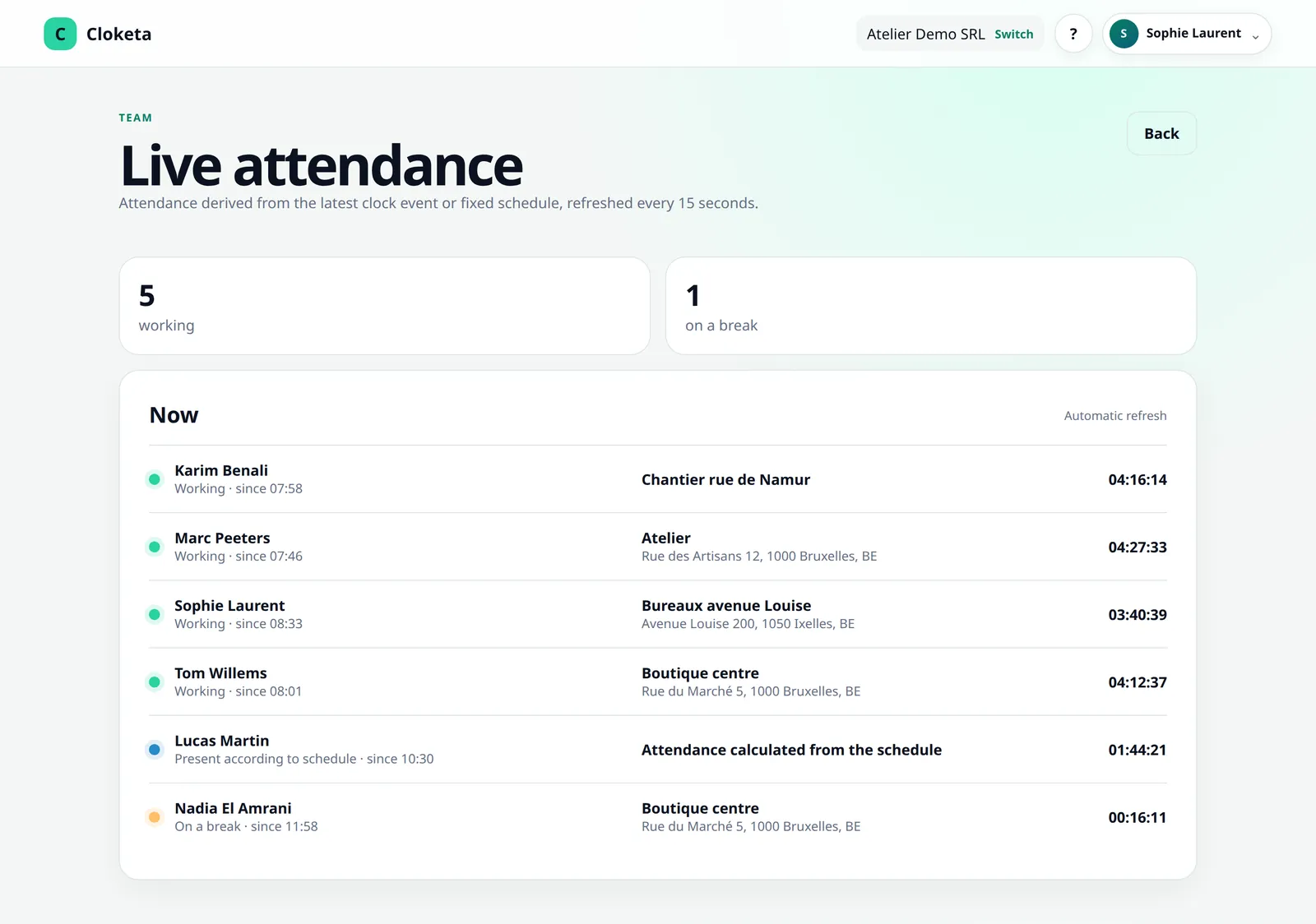
One view, updated with every clocking.
Workers clock in
Every « Start », « Take a break », « Resume » or « Finish » updates the view.
The location is shown
For each person, the view shows the name and address of the location of their last clocking. Without a location, it shows « Location not specified », with a link to the map if a position was shared.
Fixed schedules are added
During their planned hours, workers on a fixed schedule appear with the label « Attendance calculated from the schedule ».
Everyone sees their own scope
The owner, administrators and HR see the whole company; a manager sees their teams and their sub-teams. Workers only see their own clockings. Teams and their managers are included in the Enterprise offer and available as an option in the other plans, at €0.50 excl. VAT per active worker per month.
08:15 at a cleaning company.
Illustrative example.
Thomas manages six workers spread across four clients. At 08:15, he opens live attendance: four people are « Working », each with the location where they clocked in. Inès, who starts at 08:00, does not appear in the list. He calls her: she is on site, but her phone battery had run out. She will correct her day at the end of her shift.
An organisation tool, not surveillance.
What you see
The people active right now, with their status (« Working », « On a break » or « Attendance according to the schedule ») and the location of their last clocking. When nobody is working, the view simply says so: « Nobody is currently working. »
What the view does not show
People who have not started yet or who have finished their day. So someone who is expected but does not appear has not clocked in. If they have a schedule, Cloketa spots it: 30 minutes after the planned time (adjustable), a « No clock-in » alert sends a reminder to the worker and, depending on their preferences, to their manager.
What Cloketa does not do
No tracking of movements. If you enable geolocation, the position is recorded only at the moment of clocking, and only if you have decided so and informed your workers.
Good to know
For a worker on a fixed schedule, the view shows what is planned, not observed attendance. The location shown is that of the last clocking: a change of site only appears at the next clocking.
Frequently asked questions about live attendance
Does Cloketa track my workers continuously?
No. If you enable geolocation, the position is captured only at the moment of clocking, never between two clockings.
Read the full answer : Does Cloketa track my workers continuously?
Does a manager see the whole company?
No. A manager is limited to their teams and their sub-teams. Only the owner, administrators and HR see the whole company. Teams and their managers are included in the Enterprise offer and available as an option in the other plans, at €0.50 excl. VAT per active worker per month.
Read the full answer : Does a manager see the whole company?
Is geolocation enabled by default?
No. It is disabled by default. You alone decide whether to leave it disabled, make it optional or make it mandatory.
Free trial
See your team live this week.
Invite three workers, let them clock in and open live attendance. This is often where managers realise how much time they save.