
Traceable corrections
Mistakes happen. Their correction must stay readable.
A forgotten clocking should not end up in a trail of messages nobody can find. In Cloketa, each correction is a request with a reason, handled by a manager, and the original time never disappears.
Correction request
Marie D. · Tuesday
ReasonForgot to clock in on arrival
- 08:42 · original clocking kept
- 08:51 · request sent to the team manager
One request, one decision, one history.
The worker proposes
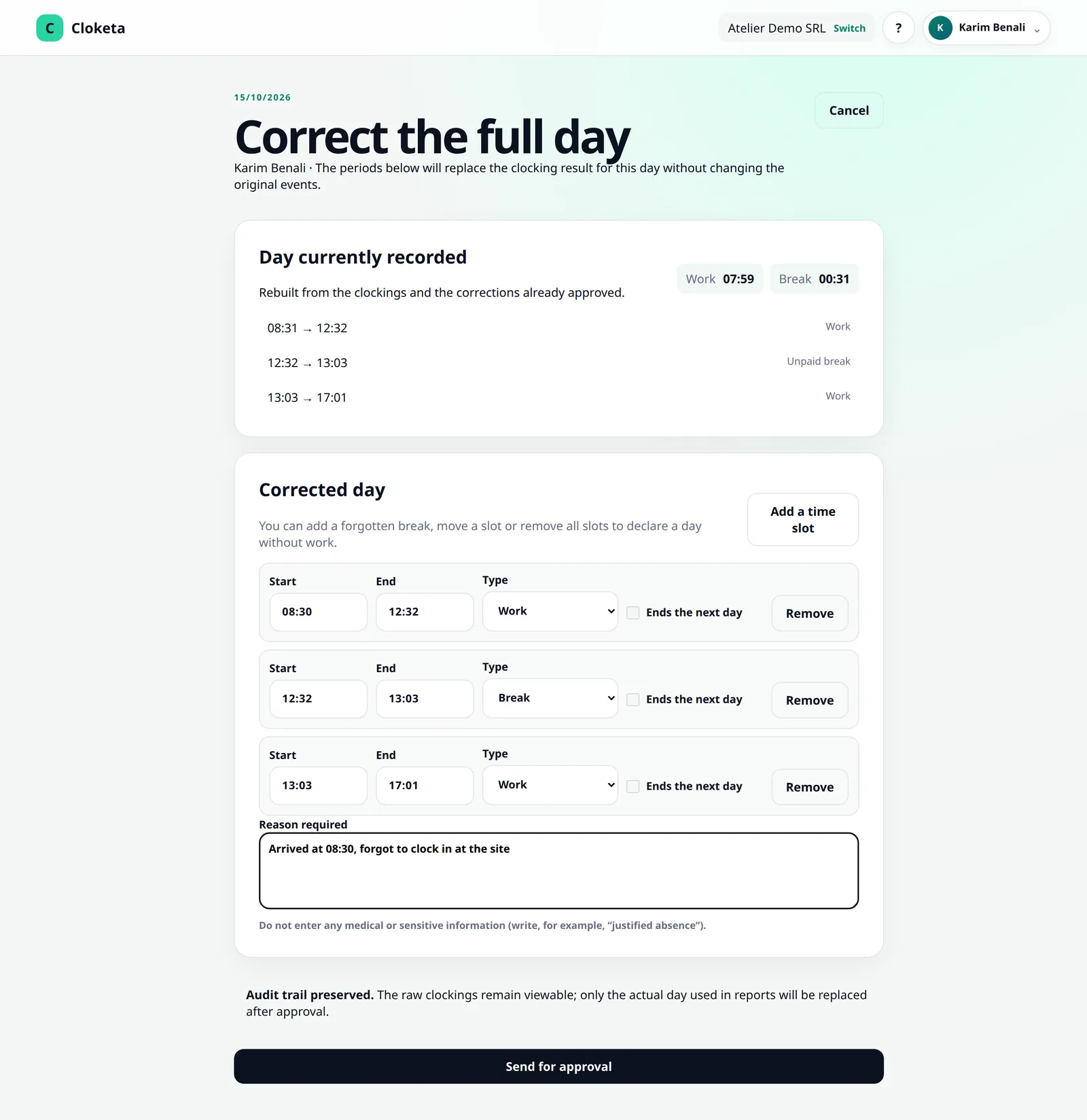
Under « Reports », in the « Clocked days » section, they choose « Correct the day », enter the correct hours, explain why and click « Send for approval ». They follow their requests under « My corrections and exceptions ».
The right manager is notified
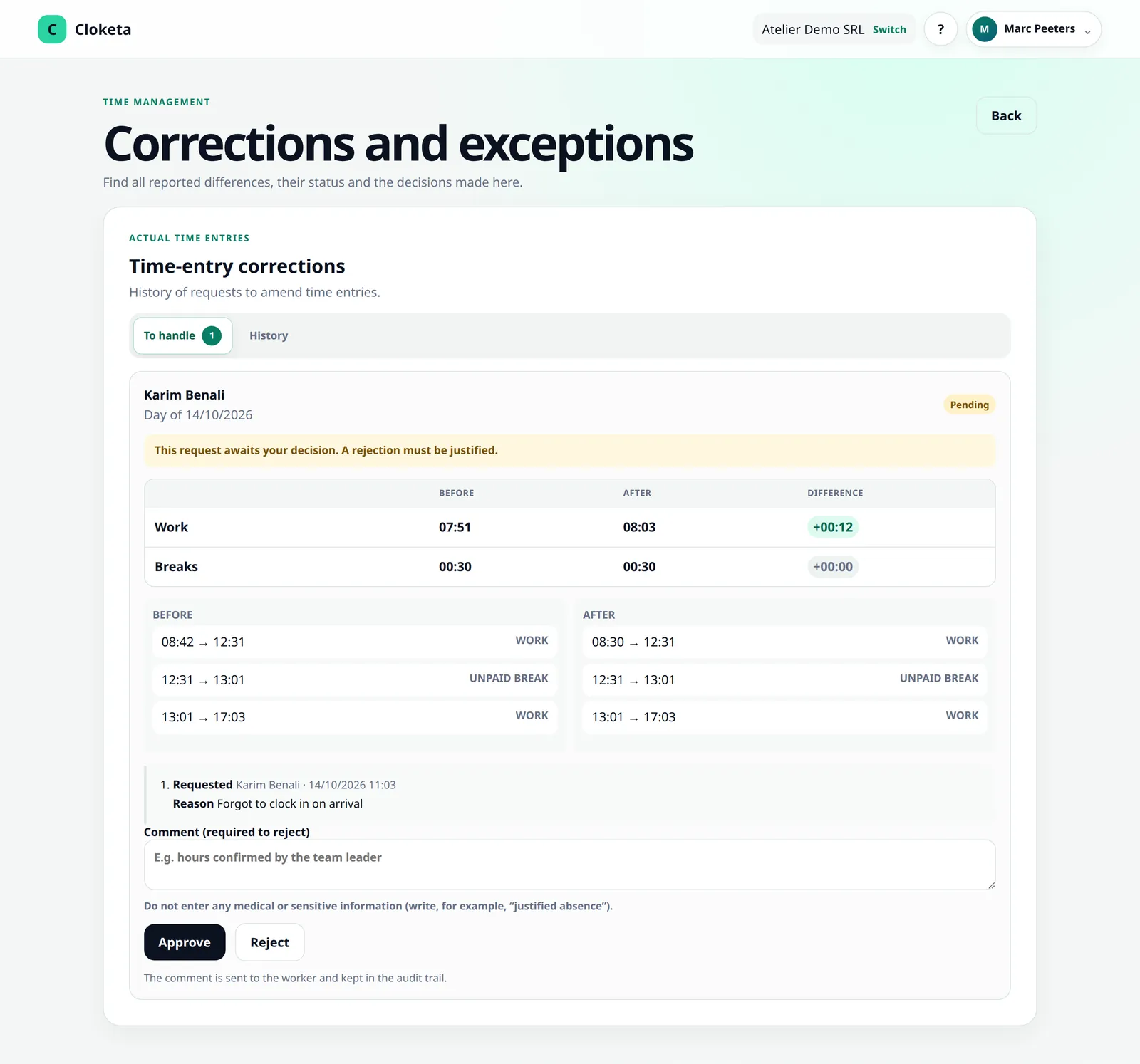
The request arrives on the Corrections screen of the managers of the worker's team, with an email and a push notification. If the team has no manager, it goes to the managers of the parent team, then to the administrators and the owner.
They compare and decide
Before and after side by side, with the reason visible. They accept, or reject with a mandatory reason.
Everything stays in the history
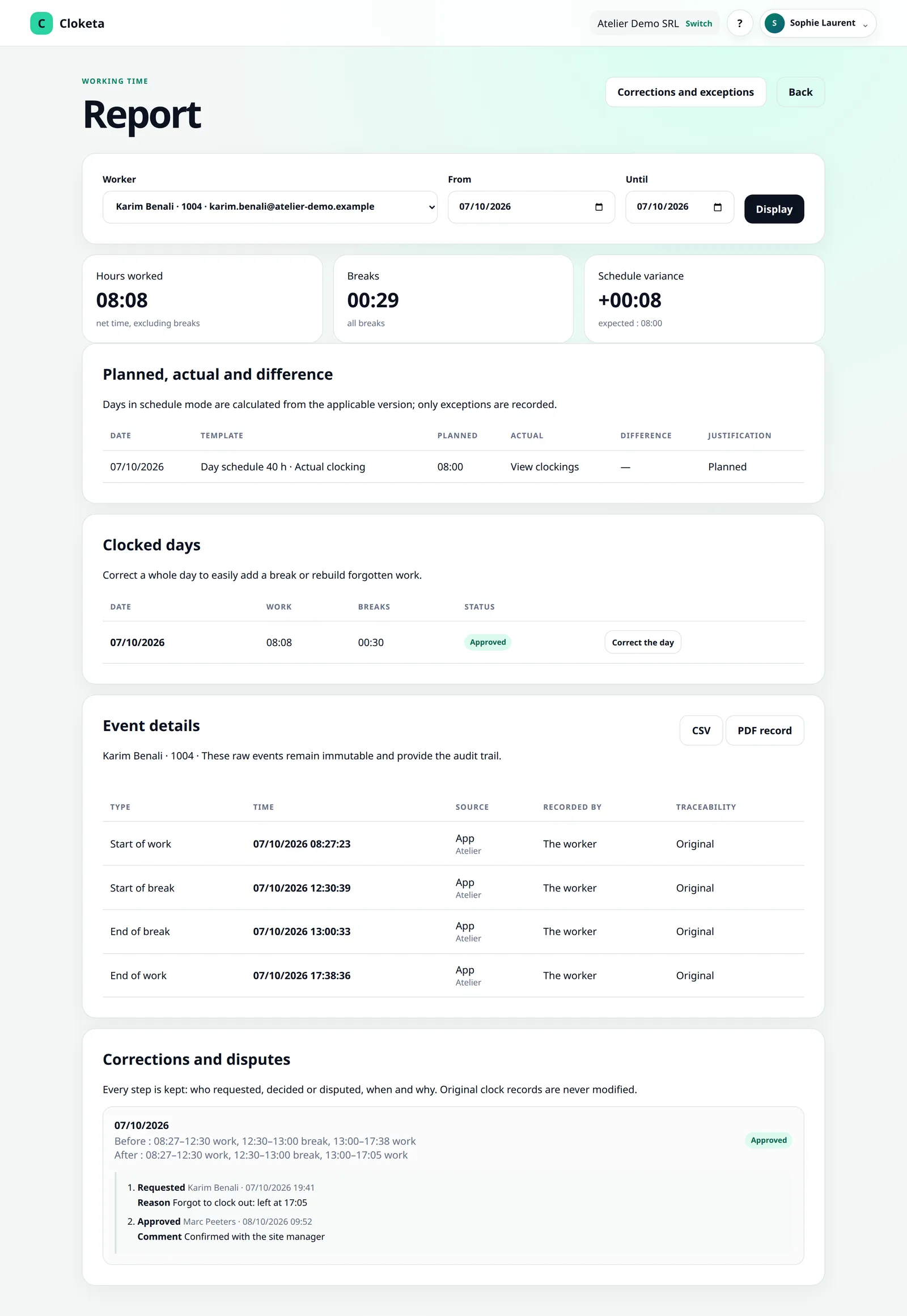
The original time, the proposal, the reason, the author, the decision and its date are all kept.
Marie's forgotten break.
Illustrative example.
Marie forgot to clock her lunch break. Her day shows 9 h instead of 8 h 30 min. That same evening, she clicks « Correct the day » and adds her break: « Forgot break from 12:00 to 12:30 ». The next day, her manager sees the request, compares the two versions and accepts. In three months' time, if anyone wonders, the answer is there: what had been recorded, what was changed, by whom and why.
A correction must never erase.
- Nothing is overwritten: the original value can still be viewed, even after a correction has been accepted.
- Every decision has an author and a date.
- Approvals are delegated: managers handle requests day to day, while the owner and administrators stay in control. Roles and organisation
- Nobody is judge in their own case: a manager never decides on their own corrections. When the owner corrects their own day, it is a self-correction, flagged to the other managers.
- Authorised managers can also correct a worker's day directly; their action is traced in the same way.
- If your company enables it, the worker can dispute a correction applied by the employer, until the month is closed. A manager settles it, and the decision is traced. Month validation and closing
- Corrections appear step by step in the inspection file.
- For a worker on a fixed schedule, a deviation does not go through a day correction but through a schedule exception, proposed with « Report a difference » and approved on the same Corrections screen. Automatic schedules
A reliable recording system does not allow data to be changed without leaving a trace. This is one of the principles underlying the requirement announced for 2027.
Forgotten clockings spotted, never corrected for you.
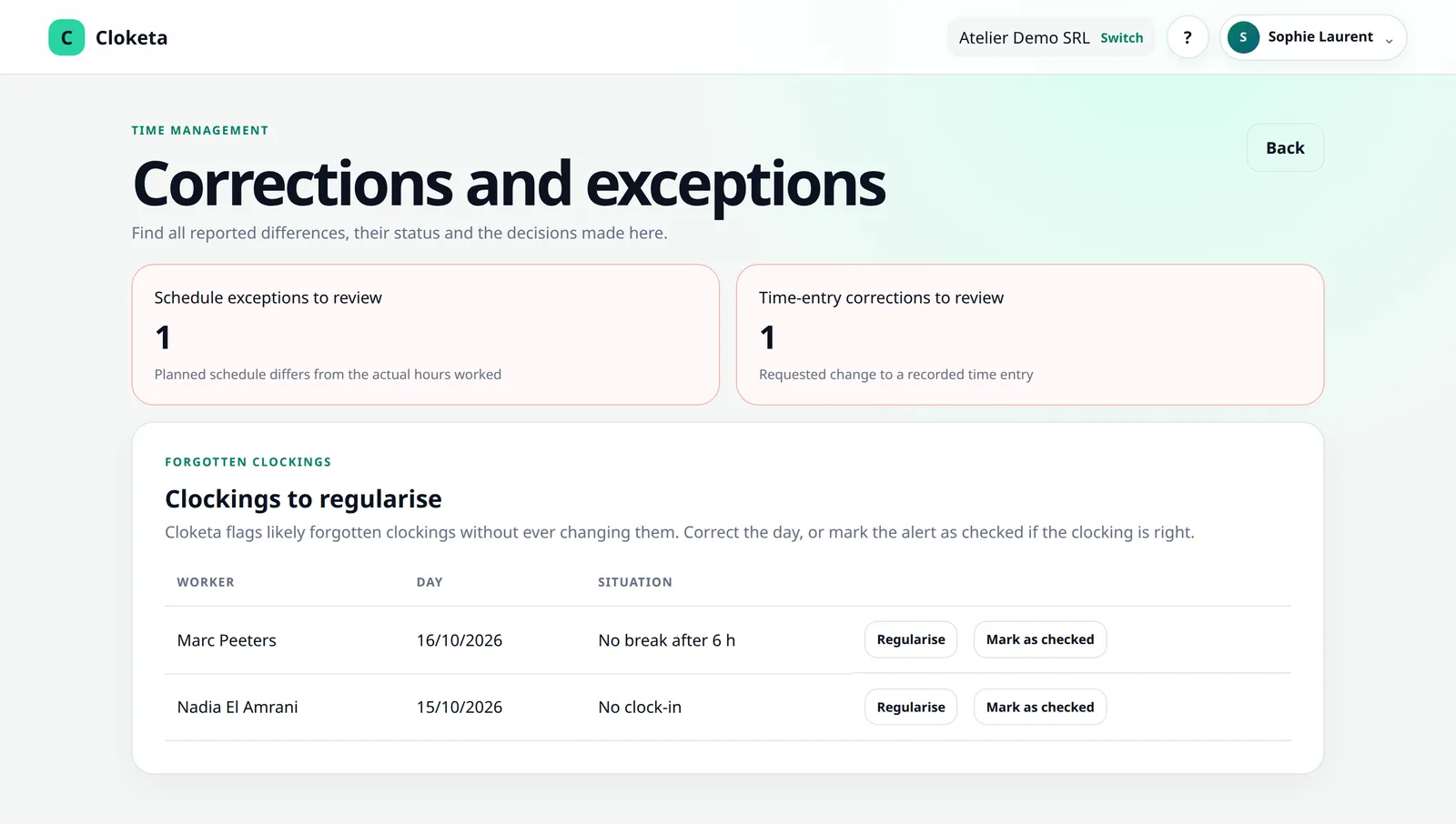
Every 5 minutes, Cloketa spots likely omissions: a missing clock-in or clock-out, no break after 6 hours of continuous work, an overlong break, a clocking not closed. The worker receives a reminder (push notification, otherwise email), and each manager chooses in their profile what they receive for their teams: nothing, only clockings not closed, everything immediately, or a summary every morning. The time limits are set under Company › Forgotten clockings.
Nothing is ever corrected automatically. A day left open keeps its hours as recorded, is marked incomplete and stays listed under « Clockings to regularise », on the Corrections screen, until it is corrected or the alert is marked as checked.
No alerts on leave days, closing days or public holidays, nor for workers on an automatic schedule.
A few simple rules.
- Write a factual reason: « transport delay », « client meeting overran ».
- Never give a medical reason or any sensitive information in a reason or comment. Write « authorised absence » rather than the reason.
- Define who approves what: that is your organisation, and Cloketa applies the roles you assign.
- A day correction cannot create a paid break: paid breaks only exist in fixed schedules.
Frequently asked questions about corrections
How does a correction work?
The worker opens Reports → “Clocked days” → “Correct the day”, enters the exact day and a reason, then clicks “Send for approval”. A supervisor (a manager of the worker's team, HR, an administrator or the owner) compares the day before and after, then accepts or rejects it. A rejection always states a reason.
Can a worker dispute a correction made by the employer?
Yes, if you enable this option in the company settings. The worker can then dispute a correction applied by a supervisor, until the month is closed.
Read the full answer : Can a worker dispute a correction made by the employer?
Does the original value disappear after a correction?
No. The original values of corrections and the audit logs are kept for as long as the record they relate to.
Read the full answer : Does the original value disappear after a correction?
Can I write the medical reason for an absence in a correction?
No, never. Health data and other sensitive data are prohibited in reasons, comments and attachments.
Read the full answer : Can I write the medical reason for an absence in a correction?
I forgot to clock in or out, or made a mistake: what should I do?
Request a correction for the day concerned, with the exact time and a short reason. A person in charge at your company (a manager, an administrator or the owner) accepts or rejects it. You are notified of the decision.
Read the full answer : I forgot to clock in or out, or made a mistake: what should I do?
Free trial
Replace messages with a request queue.
Try it with a real forgotten day: in two minutes you will see how the request arrives and how it stays documented.