
Hospitality and events
Monday's rota is never the real week.
An extra called in at 17:00, a service that runs over, a student covering for a colleague, closing at 01:00: Cloketa keeps track of the hours actually worked, service by service, with no spreadsheet to fill in at the end of the week.
What gets stuck in a week front of house and in the kitchen
Split shifts
11:00 – 14:30, then 18:00 – 23:00. On a sheet of paper, it quickly becomes “10:00 – 23:00” or a rough duration.
A team that keeps changing
Students, flexi-jobs, one-night extras: creating an account, explaining the tool and collecting the hours takes longer than the service itself.
Late nights
The last table leaves at half past midnight. With Cloketa, the shift is recorded as it is, with no re-entry: hours after midnight are counted on the day they are worked, and the weekly total stays accurate.
A Saturday at Sophie's brasserie
Illustrative example.
- Morning
Lucas works in the kitchen on a fixed schedule: his day follows his schedule, and he has nothing to clock.
- 11:00
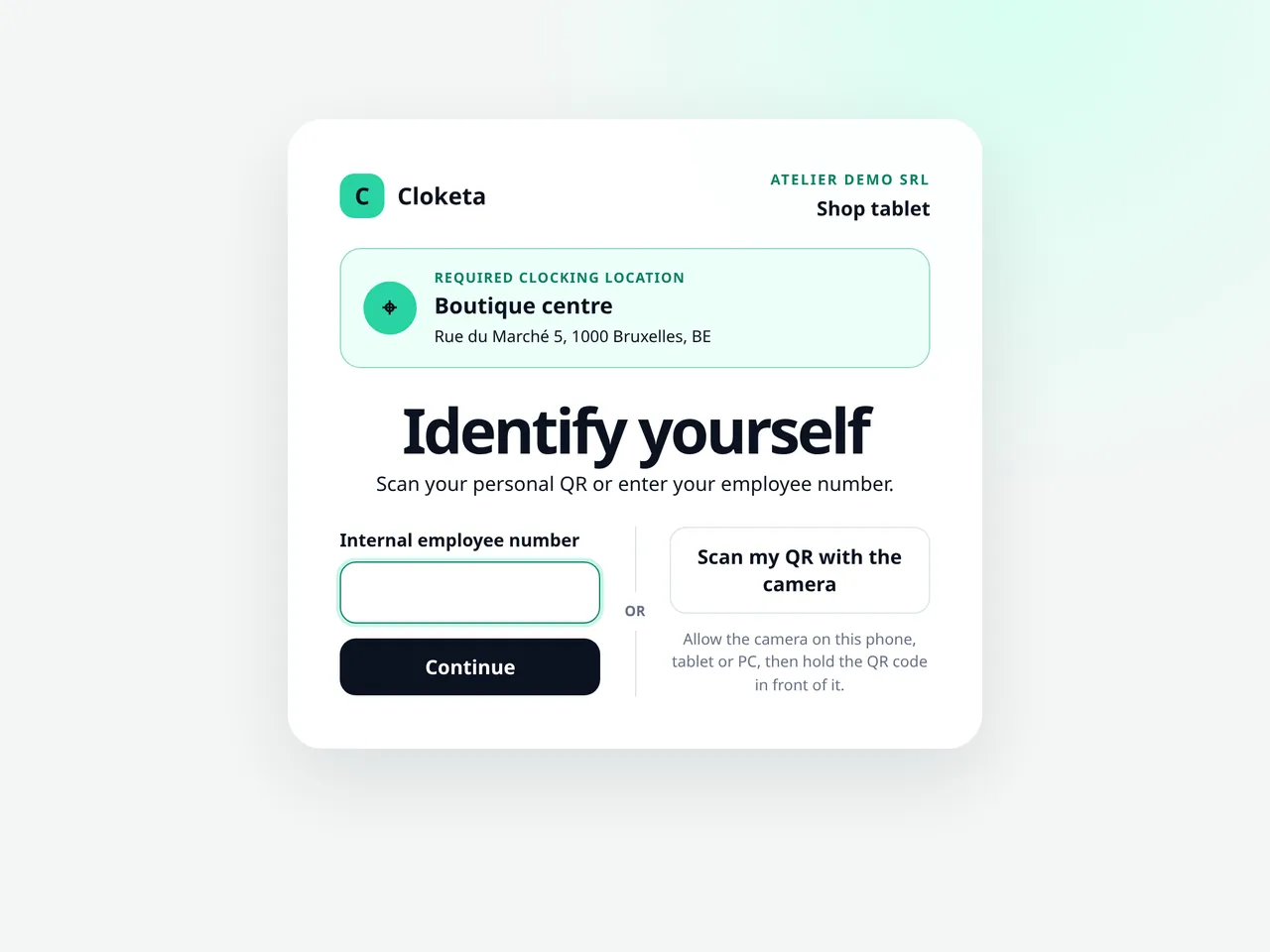
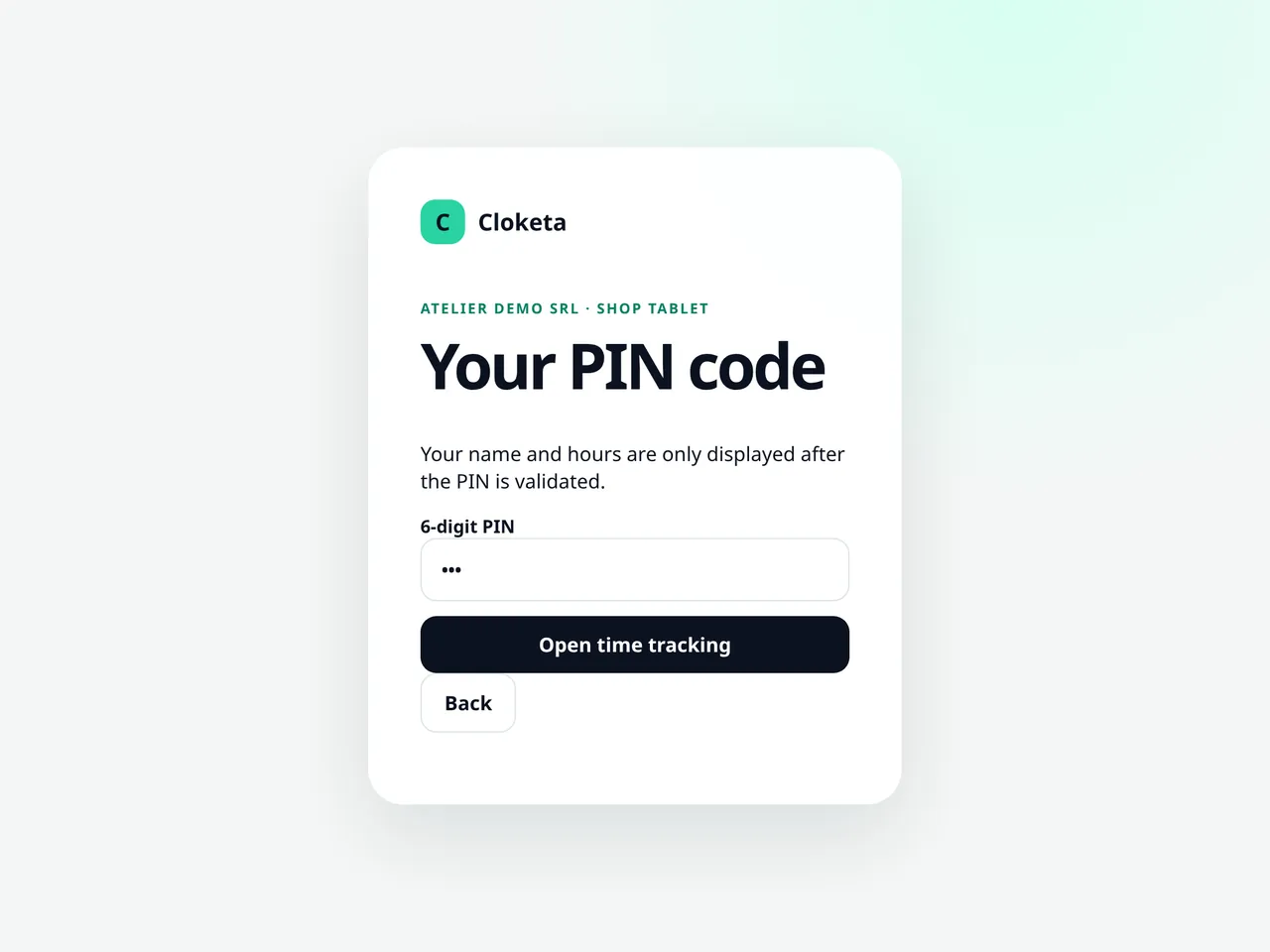
Emma, a student working front of house, clocks in at the clocking station: she scans her personal QR code (or enters her employee number), types her 6-digit PIN code, then taps “Start”.
- 14:30
Emma taps “Finish” at the end of her first service. The gap between services is not counted as working time.
- 17:30
Tom, a flexi-job worker called in as back-up, has no Cloketa account: Sophie created him without an email address and gave him his codes. He clocks his arrival at the clocking station with his QR code (or employee number) and PIN code.
- 18:00
Emma taps “Start” for the evening service: the second time slot of the day.
- 21:15
Emma and Tom tap “Take a break” for a 20-minute meal, then “Resume”. The break is deducted from their working time.
- 00:40
End of service. Emma's hours are counted from 18:00 to 24:00 on Saturday and from 00:00 to 00:40 on Sunday. Her weekly total is accurate, with no re-entry at all.
- Sunday 10:00
Lucas left an hour early on Saturday. He taps “Report a difference” on his dashboard, and Sophie approves the schedule exception from her phone.
A shared clocking station at the staff entrance
A tablet or an old phone placed near the changing room or the till. Everyone identifies on it with their personal QR code (or employee number), then their 6-digit PIN code; the session closes by itself after 60 seconds. Nobody shares an account, and your workers do not need to use their own phone. A one-night extra does not even need an email address: you create them without an account, you display or print their codes from their profile, and they clock in only at the clocking station. The station is linked to a single, fixed place and must stay connected to the internet.
Included in the Enterprise offer; optional in the other plans, at €4.90 excl. VAT per active station per month.
Split shifts, breaks and nights
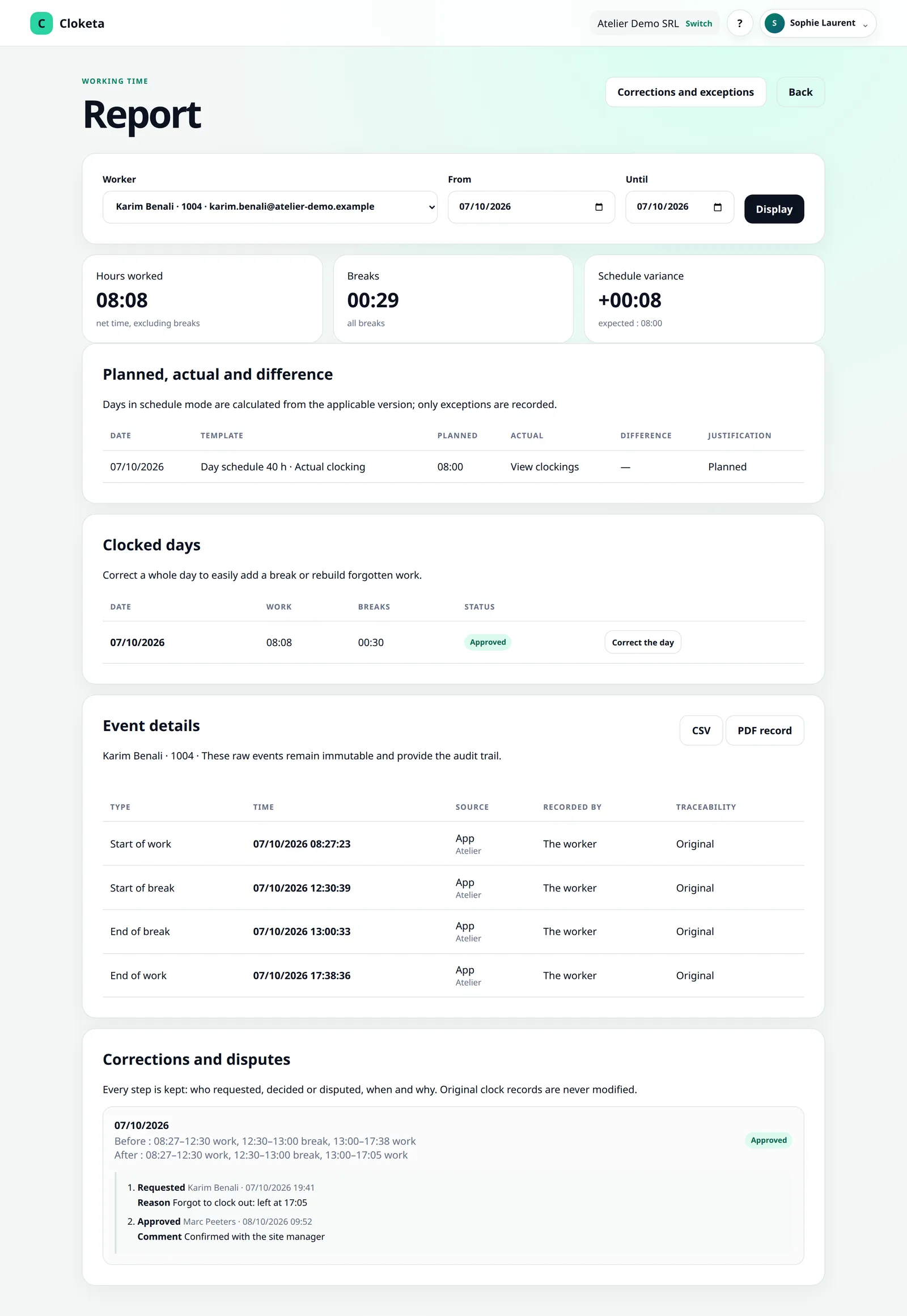
Several time slots in the same day, unpaid breaks when clocking and paid or unpaid breaks in fixed schedules, work that runs past midnight: each moment stays separate. Hours after midnight are counted on the day they are worked, and the weekly total stays accurate.
Fixed schedule for the core team, clocking for the others
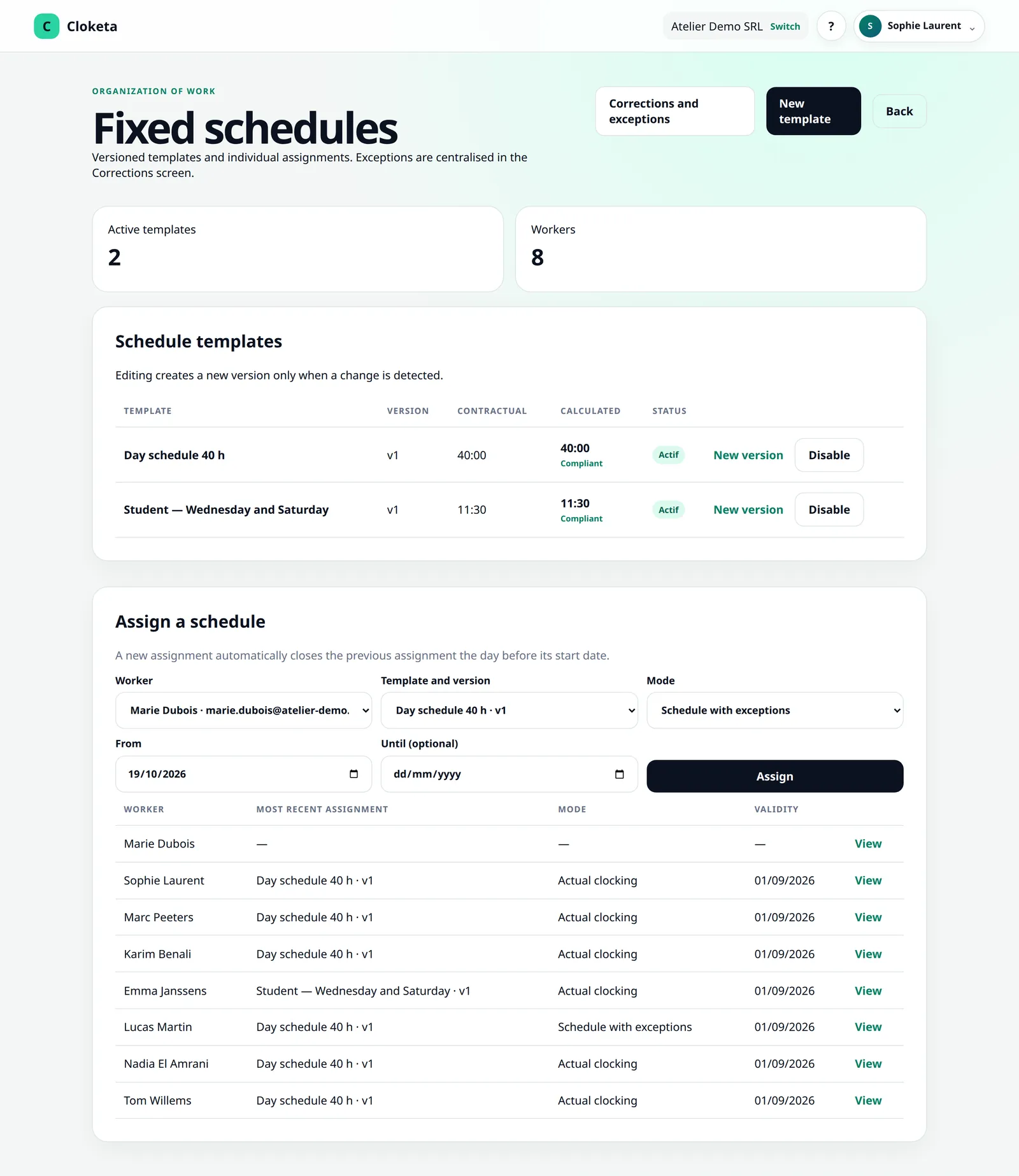
Your head chef on a fixed schedule has nothing to do: his day follows his schedule, and he only reports deviations, which you approve. Students, flexi-job workers and extras actually clock in and out. You choose the mode for each worker when you assign them a schedule.
Flexi-jobs, students, cash register: what Cloketa does and does not do
Flexi-jobs, students and extras are already subject to specific declarations (Dimona, student quota, declarations for casual workers). These formalities still have to be completed with social security, by you or your social secretariat.
Registered cash register system: if your establishment is subject to it, check with your social secretariat how the records it requires fit with those in Cloketa.
General working time recording: the obligation announced for 2027 would cover all employers. According to the preliminary draft bill, for workers on a fixed schedule, recording deviations from their schedule might be enough. The text has not yet been adopted.
Cloketa replaces no official declaration. Not Dimona, not Student@work, not a registered cash register system. It structures your internal hours and their history.
8 people front of house and in the kitchen? €199 excl. VAT per year.
A brasserie with 5 permanent staff and 3 students has 8 active workers: that is the Small plan, at €199 excl. VAT per year or €19.90 excl. VAT per month. Sophie does not count if she does not clock in. An extra counts as long as they are active or invited in your workspace, including while their invitation is pending.
After the season, end their employment from their profile (“End the employment and remove access”) to free up their place. Their history is kept, and you can invite them again.
Frequently asked questions in the sector
Do my students have to install an app?
No. They open a link in their browser and can add Cloketa to their phone's home screen. They can also clock in at your clocking station with their QR code (or employee number) and PIN code.
Can an extra without an email address clock in?
Yes. Create them as a worker without an account: they clock in only at the clocking station with their QR code (or employee number) and PIN code, without ever logging in. As they do not see the terms of use on screen, give them a PDF copy. Cloketa reminds you of this on the Team screen.
Does an extra who only comes for one evening count towards the price?
They count as long as they are active or invited in your workspace. End their employment when they no longer work for you (Team → their profile → “End the employment and remove access”): their access is cut off, QR code and PIN included, and their history is kept.
How is closing after midnight handled?
The shift is recorded as it is, with no re-entry. Hours after midnight are counted on the day they are worked: a service from 18:00 to 00:40 counts six hours on Saturday and 40 minutes on Sunday. The weekly total stays accurate. For a fixed night schedule, the end is marked “next day” and the time slot stays on the start day.
Can staff clock in without internet if the Wi-Fi goes down during service?
No. Each clocking must be validated by the server. If the connection drops, note the hours and regularise them afterwards with “Correct the day” and a reason.
Does Cloketa declare my flexi-job workers or my students?
No. Dimona declarations and tracking of the student quota still have to be done with social security, by you or your social secretariat.
Can I mix staff on a fixed schedule with staff who clock in?
Yes. The mode is chosen for each worker and can change from a given date, when their role changes.
Free trial
Try Cloketa over a real weekend of service
Set up the clocking station, add your students and permanent staff, and see what the total looks like on Sunday evening.
Important information Cloketa is a working time recording tool. It does not provide legal or HR advice and does not replace any official declaration or application. Each employer remains responsible for their own obligations: if in doubt, consult your social secretariat or an adviser.