
Simple clocking
One tap to start, one tap to finish.
No more timesheets filled in from memory on a Friday. Each worker records their day as it happens, on whatever device they have to hand.
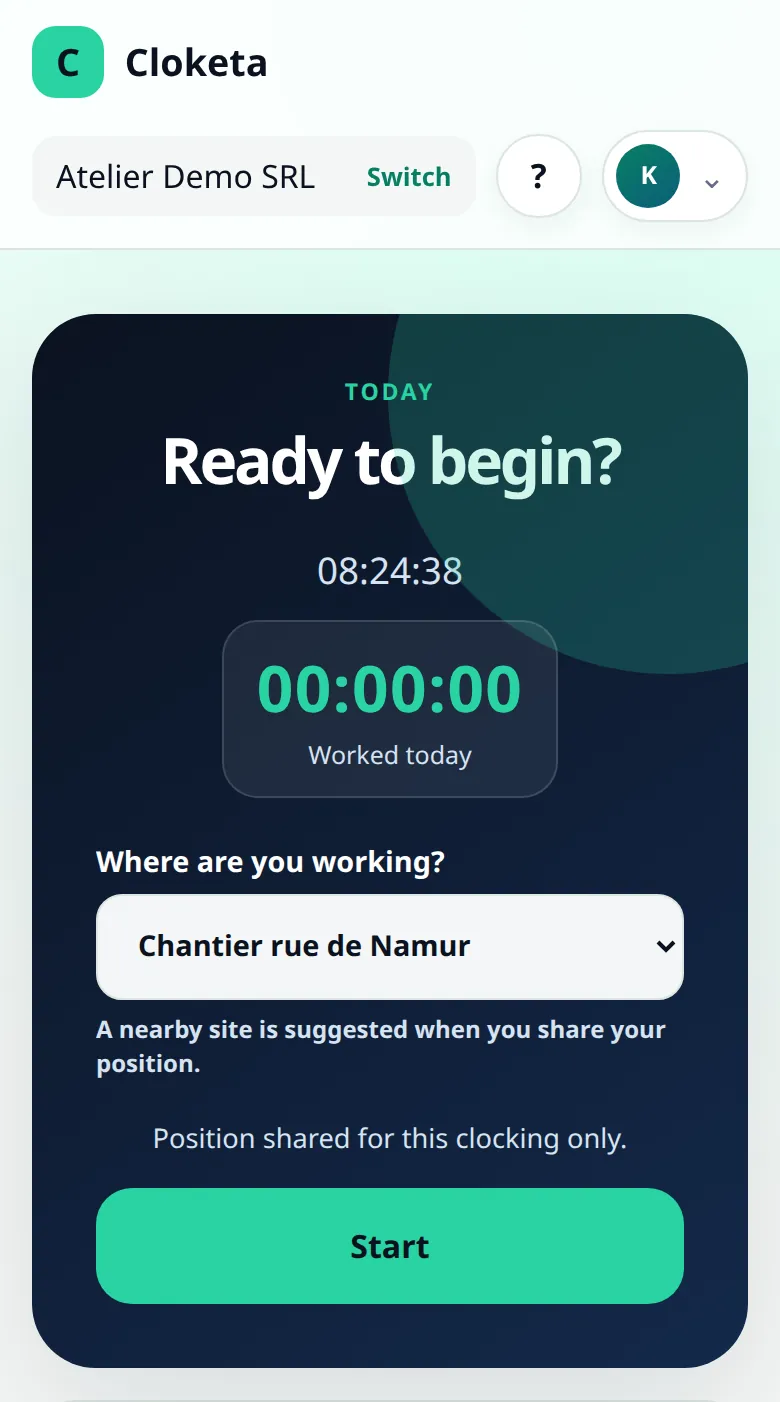
Four buttons, no user manual.
Start
The worker opens Cloketa, indicates where they are working under « Where are you working? » if the company has several locations, then taps Start. The time is set by the server, not by the phone, and the location is recorded with the clocking. Their status changes to « Working ».
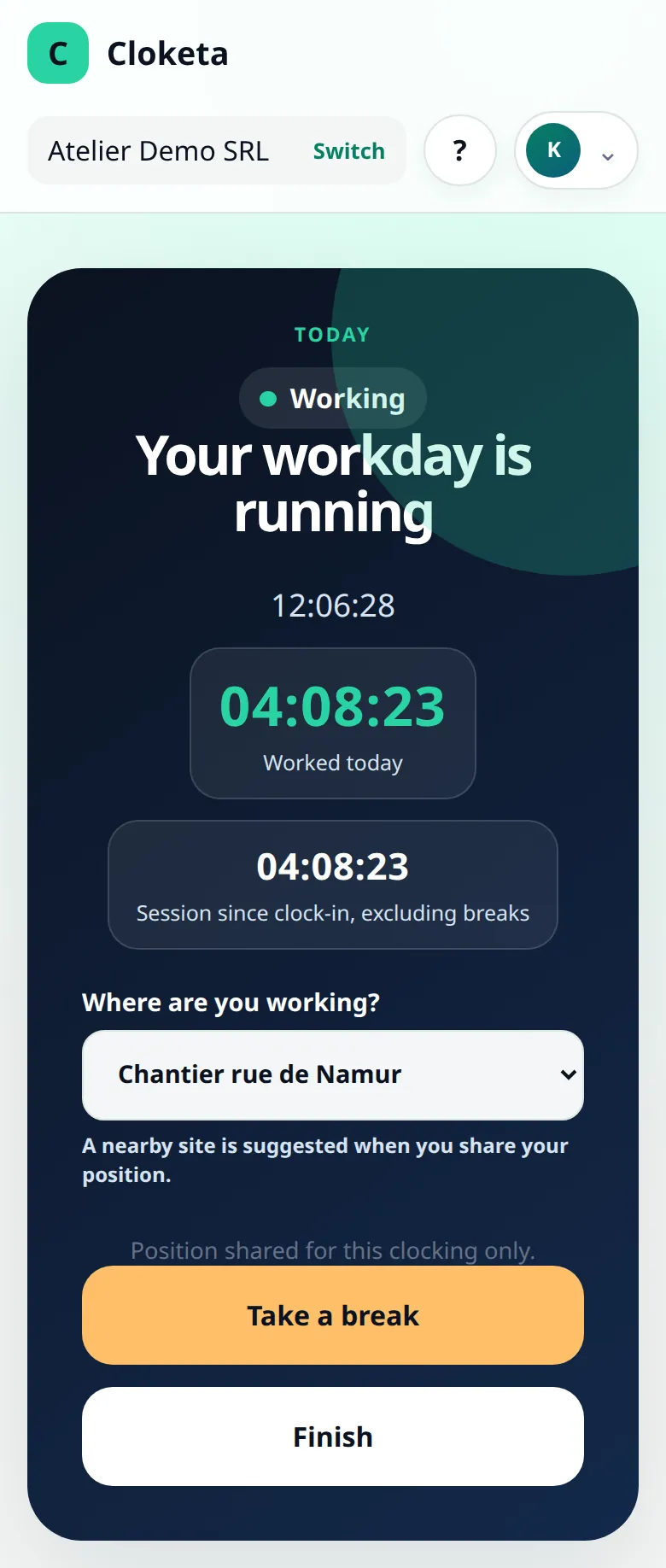
Take a break
Take a break stops the counter, and the status changes to « On a break ». A clocked break is deducted from working time.
Resume
Resume restarts the counter. The worker can take several breaks a day and choose a different location when resuming.
Finish
At the end of the day, Finish closes the day (« Workday finished »). The worker finds their hours under « Reports » and can download them as CSV or PDF. If they forgot something, they use « Correct the day ».
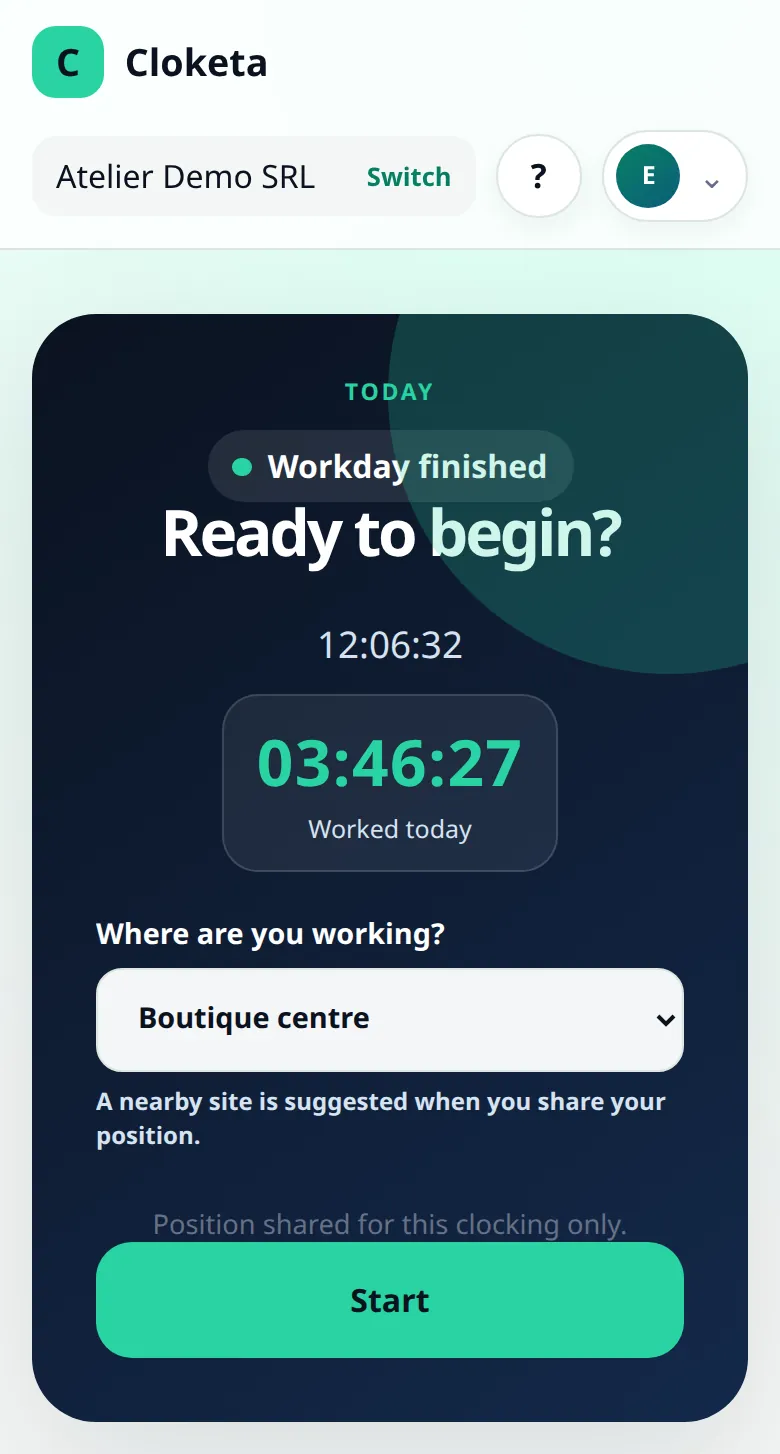
On a phone, a computer or a shared station.
Phone
Cloketa opens in the browser and can be added to the home screen like an app, without going through a store.
Computer
For office staff, a browser tab is enough. Clocking takes one click at the start and end of the day.
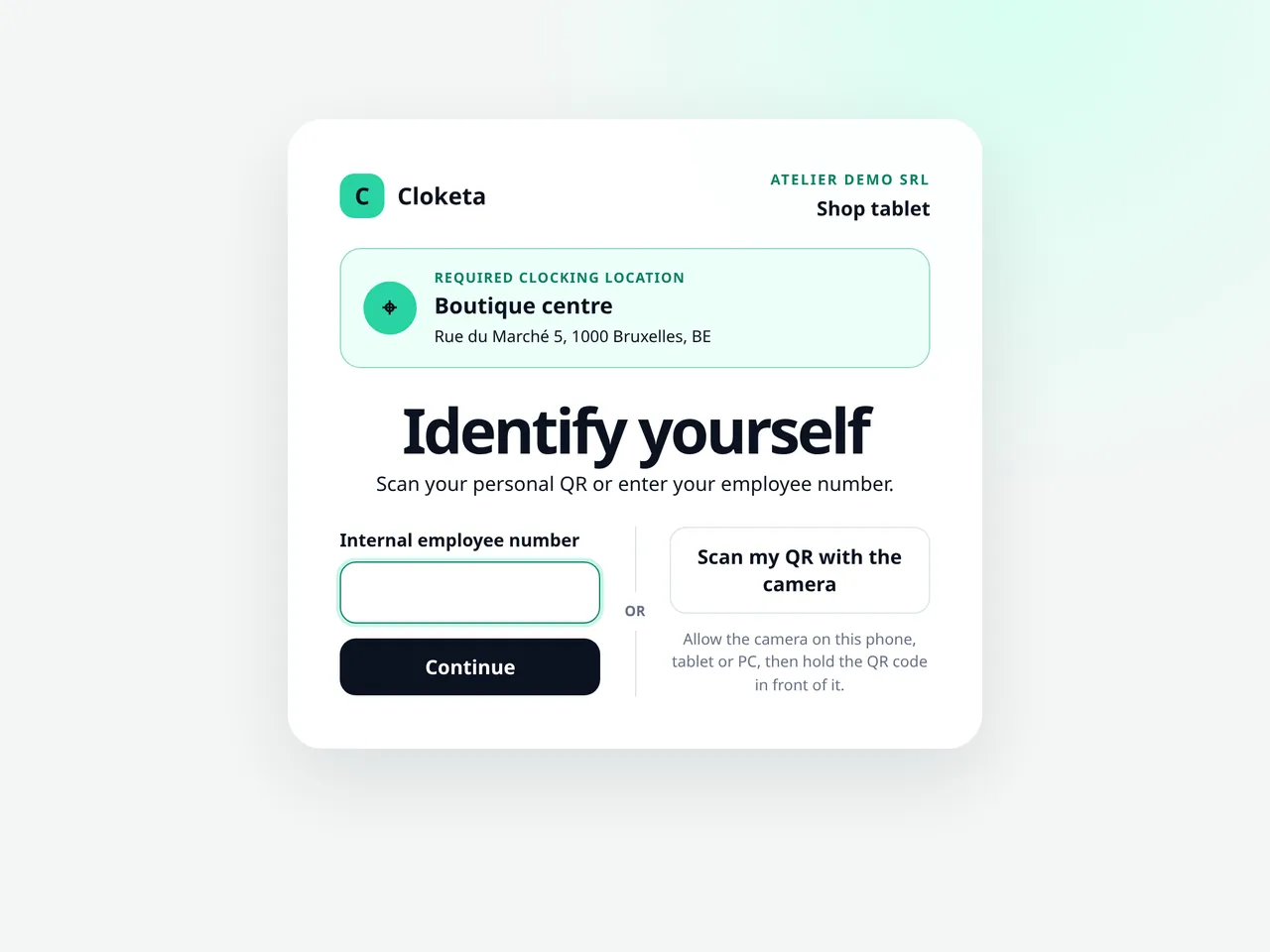
Clocking station
A shared tablet or computer, linked to a workplace. The worker identifies themselves by scanning their personal QR or entering their employee number, then types their 6-digit PIN code. The station logs them out automatically after 60 seconds, and nobody shares an account. Handy for a workshop, a shop or a kitchen. Shared clocking stations are included in the Enterprise offer and available as an option in the other plans, at €4.90 excl. VAT per active station per month.
Even without an email address. A casual worker, a student or a labourer without email can be created without an account. They clock in only on the station, with their personal QR or employee number, then their PIN code, without ever logging in. The owner or an administrator displays or prints their codes from their profile and gives them the terms of use as a PDF: the Team screen reminds you of this, with the download link.
Your company cannot require the use of a private phone without a legal or contractual basis. The clocking station is there precisely as an alternative.
A station ready in minutes, with no special hardware.
Included in the Enterprise offer; optional in the other plans, at €4.90 excl. VAT per active station per month.
Create the station
The owner or an administrator opens the « Clocking stations » tile on the dashboard. They give it a name and choose its workplace (at least one active workplace is required).
Open the link on the device
Cloketa displays a link and its QR code, once only and for 15 minutes. You open this link on the tablet or computer that will act as the station (or scan the QR code), then confirm.
It's ready
The device remains recognised as a station for one year. The station's location is applied to every clocking: on screen, the worker sees « Clocking location fixed ».
If something goes wrong
You generate a new link or deactivate the station. To change location, create a new station: a station's location cannot be changed.
A day in the life of Karim, technician.
Illustrative example.
- 07:45
Karim taps « Start » on his phone as he arrives at the depot.
- 12:10
« Take a break » at midday.
- 12:40
« Resume ».
- 16:55
« Finish ». Total shown: 8 h 40 min.
At the office, his manager can see live that Karim is « Working » and, by the evening, the day is already in the reports. Nobody has copied anything out.
What you set up, and what you need to know.
Settings
- Workplaces: office, workshop, building site, remote work… with or without an address.
- Geolocation: off by default. You can make it optional or mandatory; the position is then only recorded at the moment of clocking, never continuously. If it is mandatory, a clocking without a position is refused. Before enabling it, inform your workers and check that it is justified.
- Clocking stations: one station per device, linked to a single workplace, managed by the owner or administrators.
- Forgotten clockings: Cloketa spots missing clock-ins or clock-outs, breaks that run on and days left open, and sends a reminder to the worker and their manager. The time limits are set per company.
Honest limits
- An internet connection is required: each clocking is validated immediately by the server. In case of an outage, have a fallback procedure (a paper sheet, for example), then regularise with a correction.
- The location is recorded with each clocking. There is no « change location » button: the new location is chosen at the next clocking (« Take a break » then « Resume », or « Finish » then « Start »). Note: travel between two clients or two sites is in principle working time. Do not have it clocked as a break, and check the rules for your sector with your social secretariat.
- With mandatory geolocation, a worker with no network or GPS cannot clock in. They regularise afterwards with a correction stating the reason.
- Cloketa never corrects a day for you. A day left open is flagged under « Clockings to regularise » and remains incomplete until it has been corrected.
- Access is strictly personal: clocking in for a colleague is not allowed.
A clocking timestamped by the server, at the actual moment, is the basis of objective and reliable recording, as announced for 2027.
Free trial
Get your team clocking in from tomorrow.
Invite your workers by email: they click « Accept the invitation », add Cloketa to their phone and clock in. Nothing to buy, nothing to install on your side.