
Practical guide · 5 min
Checking clockings: a 15-minute weekly routine
A time record is only useful if it is accurate. Rather than one big check at the end of the month, a short routine every week avoids reconstructing hours and late discussions.
Why check every week
Clocking errors are normal: a forgotten clock-out, a break that was never ended, a schedule that was not updated. The problem is discovering them three weeks later, just before sending the hours worked to the social secretariat.
A weekly check has three advantages:
- the days are still fresh in people's minds;
- corrections are settled in a few minutes;
- the end of the month becomes a simple confirmation.
The weekly routine (15 minutes)
Choose a fixed time, for example Monday morning for the previous week. Review, in this order:
1. Incomplete days
A start without an end, a break without a return, an empty day for someone who was present. Contact the person and ask them to correct the day. This check remains yours: a tool can flag these days, but it should not correct them for you. In Cloketa, a forgotten clocking triggers a reminder to the worker and their manager, and a day left open is listed under “Clockings to regularise” until it is corrected.
2. Pending corrections
Any request left untreated for more than a few days should be accepted or rejected. A request that drags on creates uncertainty for the worker and for you.
3. Discrepancies against the schedule
Compare the recorded hours with the planned schedules. Look for significant discrepancies: an 11-hour day, a week well above the contractual hours, breaks systematically missing. The aim is not to penalise, but to understand: overload, an unrealistic rota, a repeated oversight?
4. Schedule exceptions for automatic schedules
For people on an automatic schedule, check that known absences, leave and late arrivals have been reported. An uncorrected automatic schedule records a normal day that did not take place.
5. New starters and leavers
Does a new worker have their schedule and tracking method? Has someone who left been deactivated (end of employment and access removed)?
Illustrative example for a team of 8: 2 incomplete days, 3 pending corrections, 1 discrepancy to explain. Total time: about 12 minutes, half of it spent talking with the people concerned.
The monthly routine (30 to 45 minutes)
At the end of the month, before passing on the hours worked:
- Check that no incomplete days or pending requests remain for the month.
- Have each worker validate their statement: once the month is over, everyone confirms their hours, possibly with a reservation (“my break on Tuesday is missing”). A reservation is dealt with before closing the month, not after payroll: correct the day concerned, then ask the worker to validate again. People without a personal account receive their statement on paper or as a PDF.
- Deal with disputes: if a worker disputes a correction made by the employer, settle it before closing, ideally by someone other than the person who made the correction.
- Check the totals per worker: hours worked, any overtime, absences.
- Review the automatic schedules: do they still match reality? A schedule that generates a correction every week needs to be revised.
- Close the month, then export what you need (payroll, archives) and keep it in line with your archiving policy. The tool is not a legal archive: it is up to the employer to keep their documents for the required period. If an error appears after closing, reopen the month with a reason rather than correcting outside the tool.
- Note recurring problems: a badly placed shared device, a systematic oversight after breaks, a misunderstood rule.
The indicators that deserve your attention
| Signal | What it may indicate | Action |
|---|---|---|
| Many incomplete days for the same person | Difficult access to clocking, habitual oversight | Offer another channel (shared device, reminder) |
| Systematic corrections on the same time slot | Unsuitable automatic schedule | Change the schedule or switch to actual clocking |
| Breaks rarely recorded | Breaks not taken or not clocked | Talk about it with the team |
| Significant, repeated discrepancies | Overload, unrealistic rota | Review the organisation |
| Requests pending for a long time | Manager overloaded or absent | Appoint a stand-in |
Who checks?
In a small business, it is often the owner-manager. Once the team grows beyond 5 or 6 people, it is useful to appoint a manager per team and a stand-in for holidays. Approval rights should match this organisation: the person who approves corrections day to day (a manager) is not necessarily the one who closes the month and prepares payroll (management or HR).
Common mistakes
- Checking only at the end of the month.
- Correcting a day yourself without talking to the worker.
- Leaving outdated automatic schedules running for months.
- Not exporting or keeping the monthly reports.
- Using the check as a monitoring tool rather than a reliability tool: the team feels it and buy-in drops.
Printable weekly checklist
- Incomplete days dealt with
- Pending corrections accepted or rejected
- Significant discrepancies understood
- Exceptions to automatic schedules checked
- Staff arrivals and departures up to date
What about 2027?
The recording obligation currently announced requires a system that is objective, reliable and accessible. A regular checking routine contributes directly to that reliability. As the text has not yet been adopted, follow our page Time recording in 2027.
With Cloketa
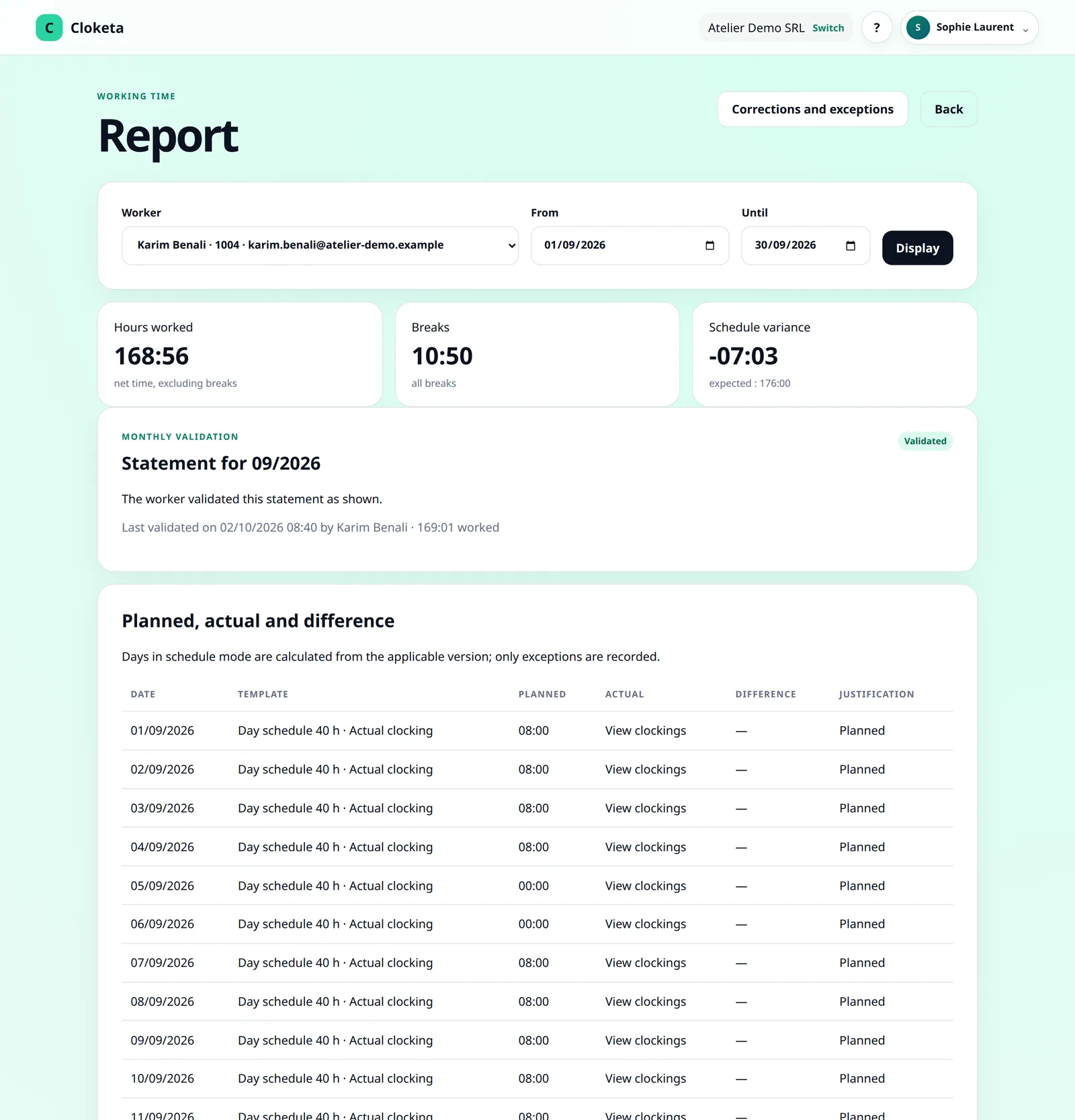
Correction requests and schedule exceptions arrive in “My corrections and exceptions” / the Corrections screen, with an email and a push notification. The “Live attendance” view shows who is at work, on a break or present according to their schedule (someone who has not clocked in does not appear there). Forgotten clockings (arrival or departure not clocked, extended break, clocking not closed) trigger a reminder to the worker and their manager, and days left open are listed under “Clockings to regularise”: nothing is corrected automatically, so your weekly check is still needed. Reports can be filtered by worker and by period; from the 1st of the following month, a banner invites each worker to validate their statement (no reminder email). Each reservation sends an email to the managers of the worker's team, who read it in the worker's report and correct the day if necessary: the statement then changes to “To be validated again”. A pending correction request or an open dispute prevents closing; a missing validation does not. The owner, an administrator or HR closes the month: Cloketa automatically generates the month's signed inspection file (JSON and CSV data, PDF summary, signed manifest), kept for the duration of the contract, up to 5 years. Download it. The payroll export is downloaded separately. A closed month can be reopened with a reason recorded in the audit trail, and the new closing adds a revision.
Live attendanceReports and inspectionMonth validation and closing
Free trial
Your first weekly check, in 7 days
Start the trial today, and do your first review next week.
Important information Cloketa is a working time recording tool. It does not provide legal or HR advice and does not replace any official declaration or application. Each employer remains responsible for their own obligations: if in doubt, consult your social secretariat or an adviser.