
Practical guide · 4 min
Split shifts, breaks and nights: recording days that don't fit on one line
Hospitality, retail, care, cleaning: many working days include several time slots, long gaps or an end after midnight. Reducing them to “a duration” loses what matters. Here is how to record them correctly.
One day, several time slots
A split shift is a working day interrupted by a long period during which the person is not at work. For example:
- Restaurant: 10:30 – 14:30, then 18:00 – 22:30.
- Office cleaning: 06:00 – 09:00, then 17:30 – 20:00.
- Home help: three separate visits during the day.
The right reflex: record each time slot separately, with its start and end, rather than a total. A line saying “8 h 30 min of work” does not let you check what happened, or answer a question about the span of the day.
Worked example. 10:30 – 14:30 = 4 h 00 min. 18:00 – 22:30 = 4 h 30 min. Total worked: 8 h 30 min. Span of the day (from the first start to the last end): 12 h 00 min. The 3 h 30 min gap is not working time.
Break or gap: know the difference
- Break: a short interruption within a time slot (meal, coffee). It can be paid or unpaid, depending on your work rules, your sector agreement or your organisation.
- Gap: a long interruption between two time slots. The person is free; it is not a break in terms of how the day is organised.
Why it matters: a paid break counts towards paid time, an unpaid break does not. If you mix the two up, the totals are wrong.
Example. A time slot of 08:00 – 16:30 with an unpaid 30-minute lunch break and a paid 15-minute coffee break. Gross duration: 8 h 30 min. Working time counted: 8 h 30 min − 0 h 30 min = 8 h 00 min (the paid coffee break stays included).
The rules on breaks (minimum length, timing, whether they are paid) depend on employment law, your joint committee and your work rules. Check them with your social secretariat: a tool records, it does not make legal assessments.
Working past midnight
Closing at 01:30 raises two questions: which day the hours belong to, and how to calculate them.
- Choose an allocation rule and apply it everywhere. Two conventions exist: count each hour on the day it is worked (18:00 – 24:00 on Friday, 00:00 – 01:30 on Saturday), or allocate the whole shift to the day it started. Either way, the weekly total is the same. What matters is that the rule is known, consistent and understandable during an inspection.
- Calculate on the real clock. From 18:00 to 01:30 = 6 h 00 min until midnight + 1 h 30 min = 7 h 30 min. A common spreadsheet error is to get −16 h 30 min by simply subtracting 18:00 from 01:30.
Night work may be subject to specific rules (authorisation, scheme, premium pay) depending on your sector. The record simply needs to make it possible to find the exact hours.
Several breaks, several locations
In some jobs, a day includes three or four interruptions and several workplaces. The record must stay readable:
- each break start and each break end is an event;
- each clocking can show the location (office, site, client, branch);
- the daily total is calculated from the time slots, minus unpaid breaks.
Split shifts and automatic schedules
A regular split shift (for example 10:30 – 14:30 and 18:00 – 22:30 from Tuesday to Saturday) can perfectly well be automatic. The schedule must then contain both time slots and the breaks. If service often runs over, actual clocking will be simpler. See Automatic schedule or actual clocking?.
Common mistakes
- Recording a total instead of the time slots.
- Counting the gap as an unpaid 3 h 30 min break: the result is correct, but the history becomes incomprehensible.
- Changing the allocation rule for hours after midnight from one week to the next.
- Forgetting paid breaks in the calculation, or conversely deducting a paid break.
- Calculating night hours in a spreadsheet without handling the change of day.
Checklist
- Each time slot has a start and an end.
- Breaks are distinguished from gaps.
- Whether each type of break is paid or not is defined and documented.
- The rule for allocating hours after midnight is known and applied the same way everywhere.
- Automatic schedules contain all time slots and all breaks.
- Sector rules (breaks, night work) have been checked with the social secretariat.
Calculate a week quickly
Our timesheet calculator handles several time slots per day, paid or unpaid breaks and working past midnight. Free, no sign-up, no data sent.
With Cloketa
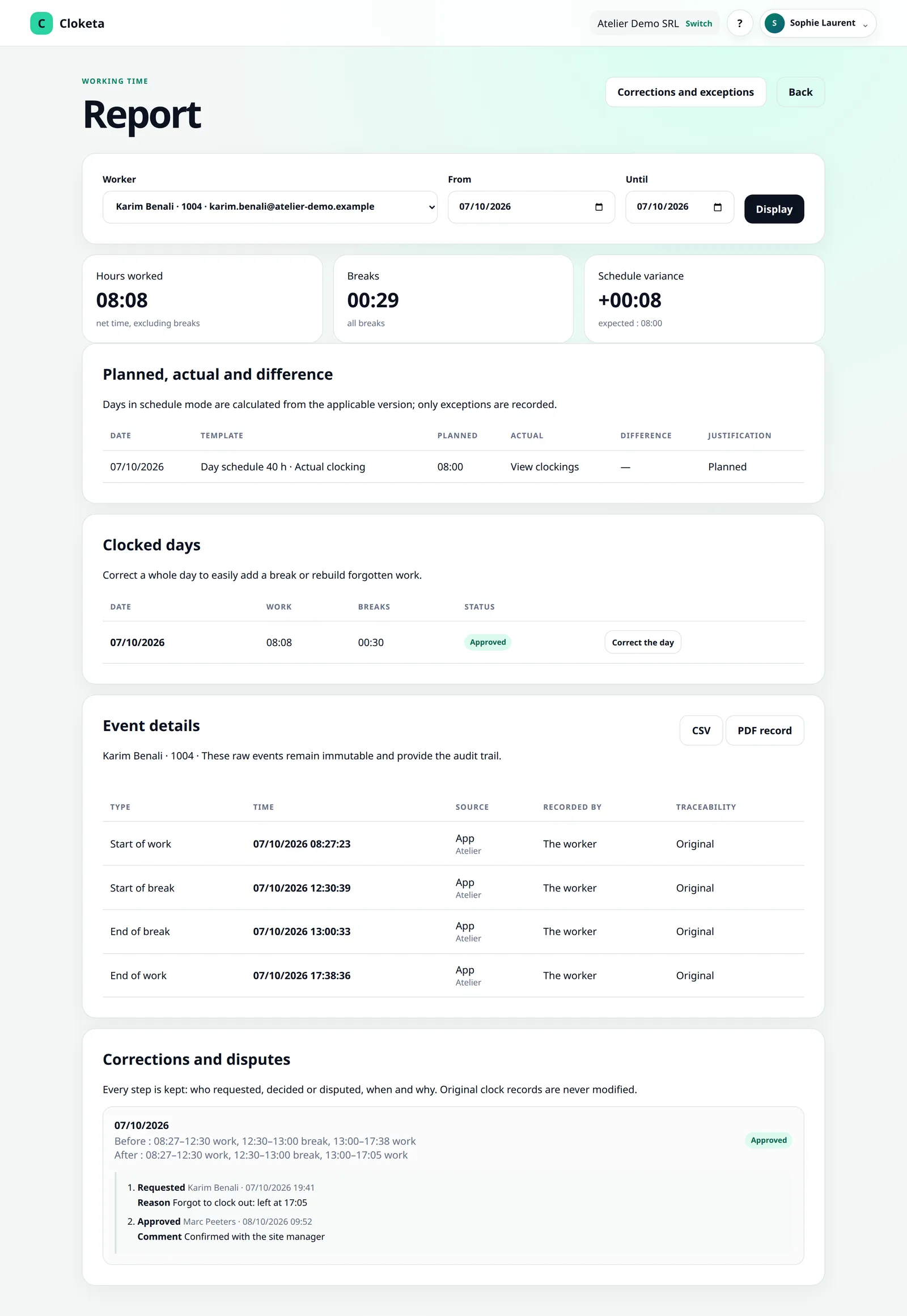
Several time slots and several breaks per day are recorded as they are. With actual clocking, a clocked break is deducted from working time; paid breaks are defined in fixed schedules. A shift that runs past midnight is recorded without re-entry: hours after midnight are counted on the day they are worked, and the weekly total stays accurate. A fixed night schedule, on the other hand, stays as a single time slot on the day it starts. The chosen location appears on each clocking.
Free trial
Test it with a real split shift
Create the schedule of your most complex team and check the result over a week.
Important information Cloketa is a working time recording tool. It does not provide legal or HR advice and does not replace any official declaration or application. Each employer remains responsible for their own obligations: if in doubt, consult your social secretariat or an adviser.